Overview
Momentum AMS allows you to quickly view agent-level production, including premium and agency commission, using the Agency Overview dashboard. This guide walks through how to filter and review productivity data by agent and carrier.
Momentum AMS allows you to quickly view agent-level production, including premium and agency commission, using the Agency Overview dashboard. This guide walks through how to filter and review productivity data by agent and carrier.
Step 1: Access the Productivity Report
- Log in to Momentum AMS
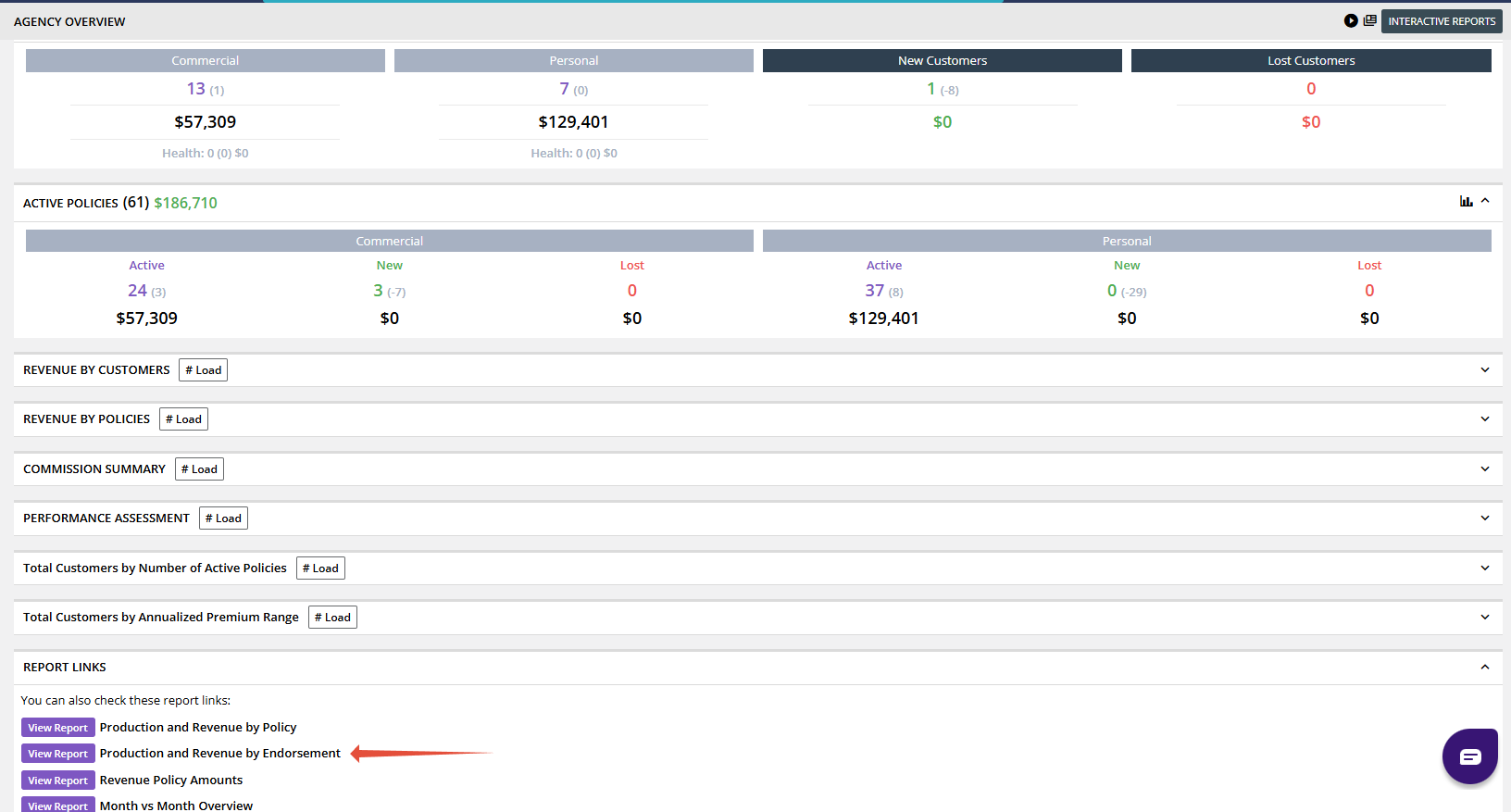
- Navigate to Agency Overview
- Scroll down and select Production Revenue By Endorsement
Step 2: Apply Filters
Set your filters to narrow down the report:
- Endorsement Date Range
- Example: Set the end date (ex: December 31, 2025)
- Agent
- Select the agent you want to review
- Carriers
- Choose one or multiple carriers
Once selections are made, click Search.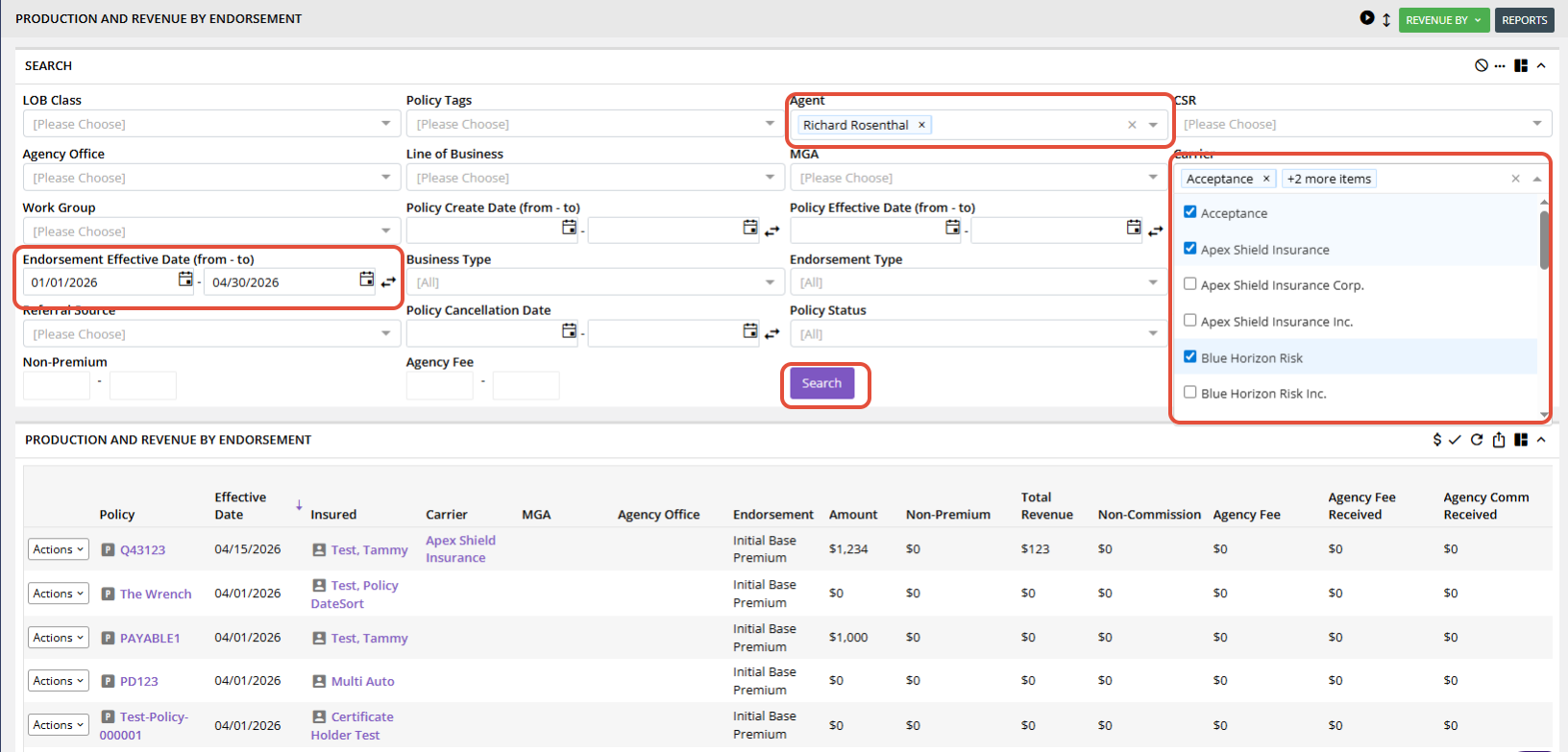
Step 3: View Premium & Commission
After the data loads:
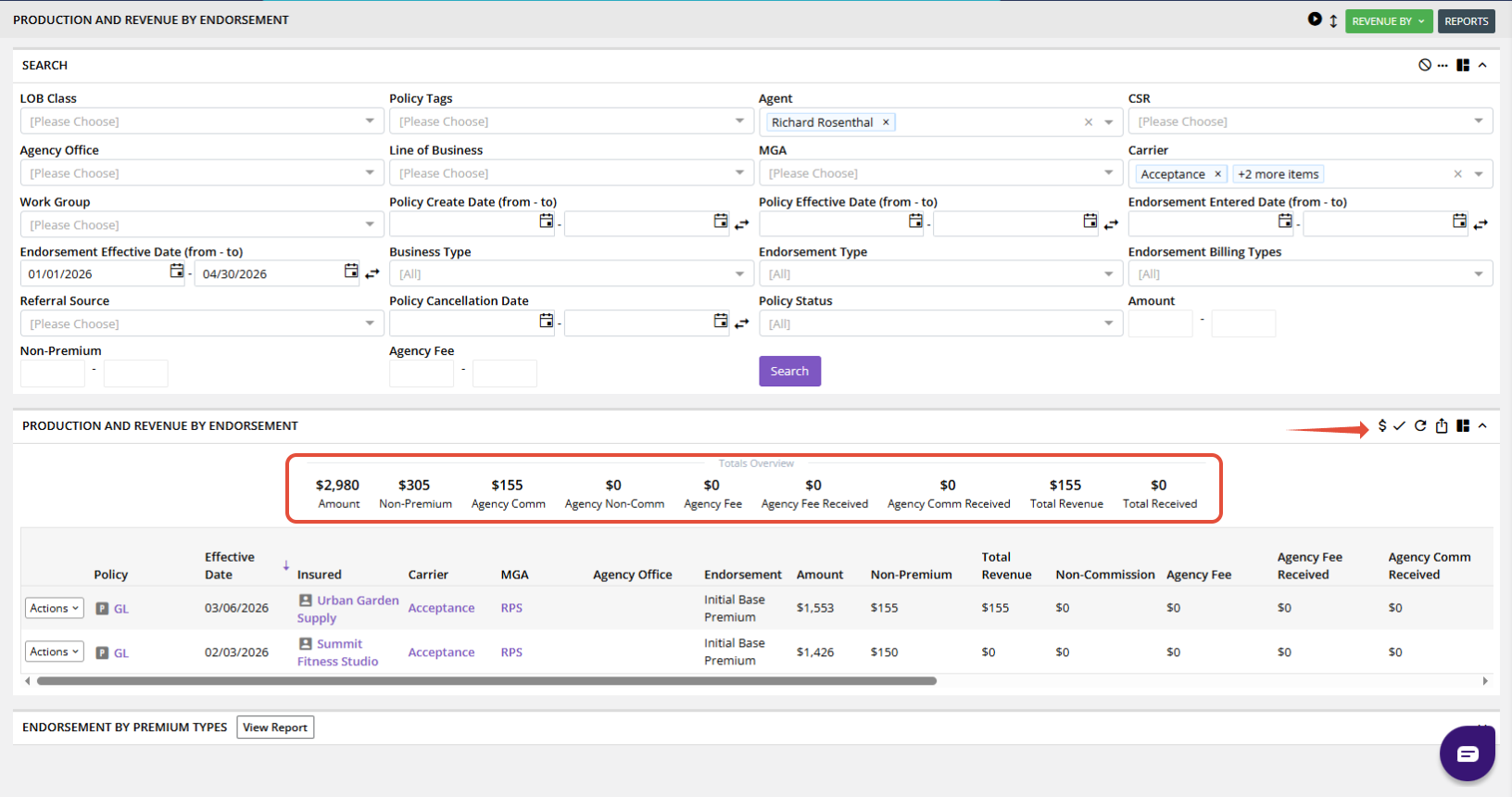
- Click on the Dollar Amount ($) within the report
- This will display:
- Total Premium
- Agency Commission
Step 4: Switch Between Agents
To review another agent:
- Select a different agent
- Remove the previous selection if needed
- Click Search again
The report will refresh automatically with updated values.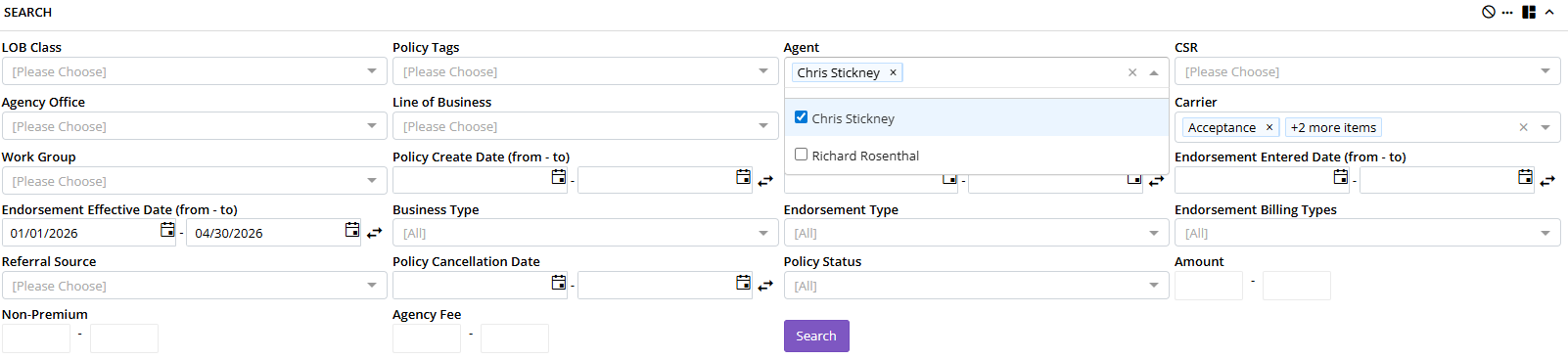
What the Report Includes
The Productivity report reflects:
- New Business
- Renewals
- Endorsements
- Cancellations
- Positive and Negative Premium Changes
✔ Provides a full view of production impact
✔ Includes all relevant policy activity within the selected date range
⚠️ Important Notes
- Report accuracy depends on:
- Proper data entry
- Up-to-date carrier downloads
- If data appears incorrect:
- Verify policy activity
- Confirm downloads have been merged
✅ Summary
Using the Productivity report, you can:
- Track agent performance
- View total premium impact
- Review agency commission
- Filter by carrier and date range
Was this article helpful?
That’s Great!
Thank you for your feedback
Sorry! We couldn't be helpful
Thank you for your feedback
Feedback sent
We appreciate your effort and will try to fix the article