Momentum AMS integrates with IVANS to receive policy information from participating insurance carriers, including new business, renewals, endorsements, cancellations, and other available transactions.
Carrier downloads help reduce manual data entry and simplify policy maintenance. However, receiving a download does not automatically mean the information has been applied to your agency's records. Incoming sessions must be reviewed and processed to ensure information is associated with the correct insureds and policies.
1. Getting Started with IVANS Carrier Downloads
Before your agency can receive IVANS downloads in Momentum AMS, your IVANS mailbox and participating carriers must be properly configured.
For instructions on carrier compatibility, IVANS Exchange configuration, and completing the setup process, please refer to:
How to Set Up Carrier Downloads (IVANS)
Once configured, available carrier download files can be retrieved by Momentum AMS and displayed in the Carrier Downloads area.
2. How Carrier Downloads Work
Participating carriers transmit policy information through IVANS. Momentum AMS retrieves the available files and makes them accessible as download sessions.
To review incoming information:
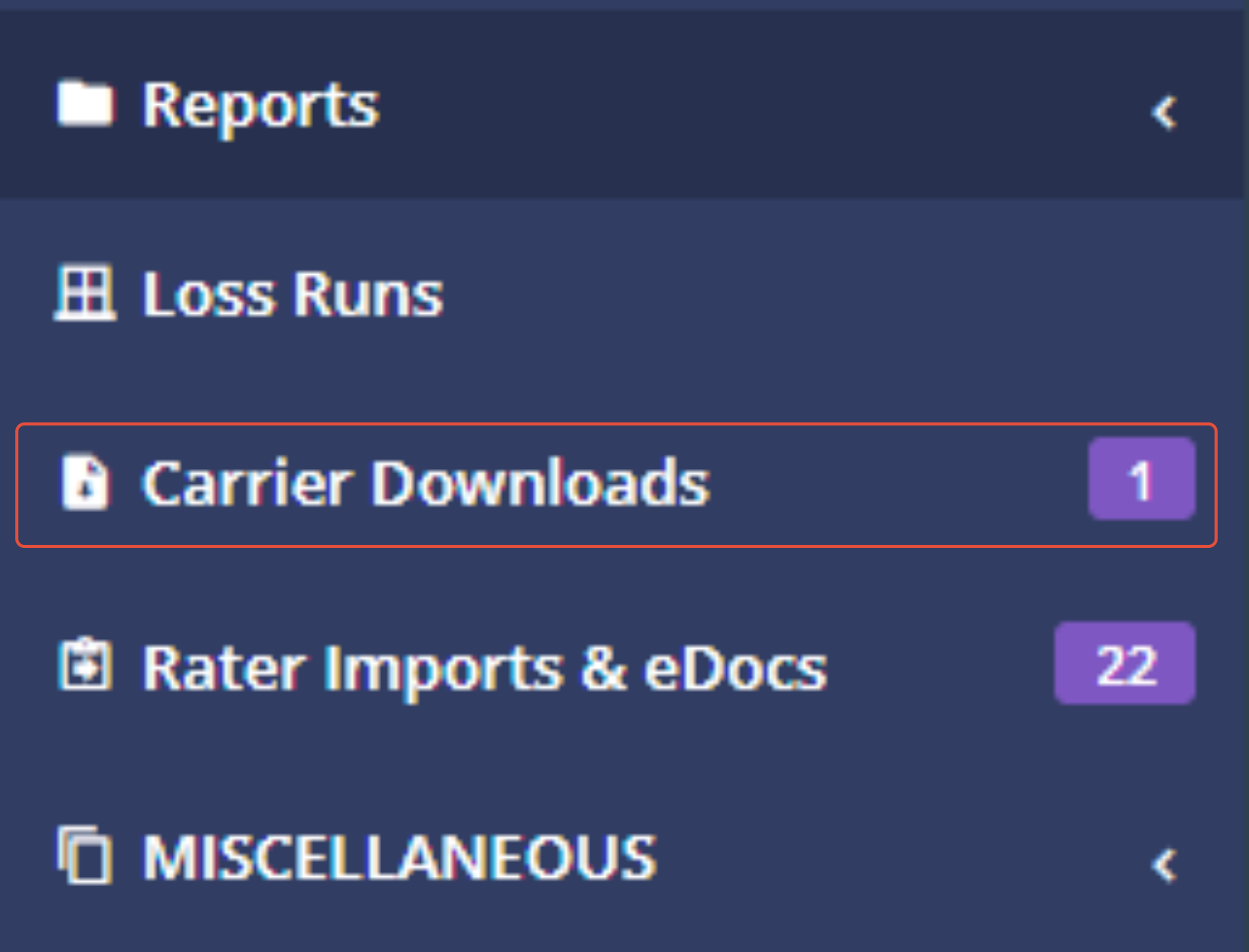
- Navigate to Carrier Downloads.
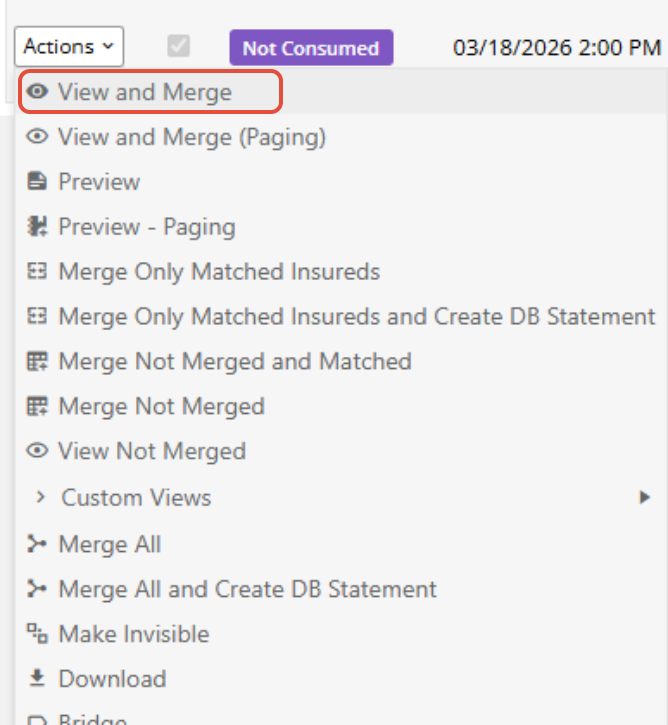
- Locate the download session you want to process.
- Select View and Merge.
- Review the incoming information and select the appropriate action to apply the changes.
Understanding Insured and Policy Matching
When processing a download, Momentum AMS provides options based on whether the incoming insured and policy information matches existing records.
- Add: Used when an insured match is not found. Before creating a new insured, verify that the record does not already exist under a different name.
- Update Insured: May appear when the insured is identified but the corresponding policy is not found.
- Change: May appear when both the insured and policy are matched, allowing incoming changes to be applied to existing records.
- Match to an Existing Insured: Allows you to associate an incoming record with an existing insured when the system has not automatically identified the match.
Matching an insured to an existing record may also establish an alias to help with future downloads.
[Insert Screenshot – View and Merge Matching Options]
After processing the download, review the affected insured and policy records to confirm that the information was applied correctly.
3. What to Expect from Carrier Downloads
Carrier downloads can make policy maintenance more efficient, but their capabilities depend on the information provided by each carrier and how the agency processes the incoming records.
Carrier Participation and Available Information
Not every insurance carrier supports IVANS downloads. Participating carriers may also provide different types of policy information and transactions.
For example, one carrier may provide new business, renewals, endorsements, and cancellations, while another may offer a more limited selection.
Carrier downloads do not necessarily contain every coverage detail, document, or transaction associated with a policy.
Historical Policy Information
Connecting IVANS does not automatically import your agency's entire existing book of business.
Depending on the carrier, downloads may begin with newly transmitted transactions rather than historical policies.
Agencies needing historical information should determine whether the carrier offers an initial download or whether a separate data import is necessary.
Reviewing Downloaded Information
Carrier downloads should be part of your agency's regular policy maintenance process.
Insured names and other identifying information may differ between carrier records and existing Momentum AMS records. Reviewing these differences before merging helps prevent duplicate insureds and incorrect policy associations.
Momentum AMS provides the tools to receive, review, and merge carrier download information. Your agency remains responsible for verifying the accuracy of its insured and policy records and reviewing any missing or unexpected information.
Additional Download Types
Depending on the carrier and available services, IVANS downloads may also include:
- eDocs and eNotes: Electronic documents and notes that can be reviewed and processed through the applicable download workflow.
- Direct Bill Commission Statements: Commission information that may be used in the agency commission reconciliation process.
These items may require processing separate from standard policy transaction downloads.
4. Carriers That Do Not Use IVANS
Some carriers provide download files through alternative services, such as TeamUp or other carrier-specific applications.
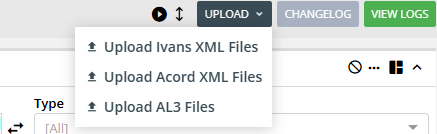
If a carrier provides compatible AL3 files, your agency can manually upload them into Momentum AMS.
- Obtain the AL3 file from the carrier's download service.
- Navigate to Carrier Downloads.
- Select Upload > Upload AL3 Files.
- Choose the file and upload it.
- Locate the uploaded session and select View and Merge to process the information.
Manually uploaded AL3 files should be reviewed and processed in the same manner as files received through IVANS.
5. Additional Resources and Support
For detailed IVANS setup instructions, including carrier compatibility and IVANS Exchange configuration:
How to Set Up Carrier Downloads (IVANS)
If you experience problems with missing downloads, configuration, or processing errors, contact Momentum AMP Support for assistance.
Was this article helpful?
That’s Great!
Thank you for your feedback
Sorry! We couldn't be helpful
Thank you for your feedback
Feedback sent
We appreciate your effort and will try to fix the article