Carrier availability in Momentum CL RATE can vary by line of business, state, market access, and carrier appetite. Because available carriers and states can change, always use the current Carrier Guide and the information displayed within RATE when determining which markets may be available for a commercial risk.
Checking Carrier Availability
Momentum RATE provides access to multiple commercial insurance markets.
The Carrier Guide organizes available carriers by line of business and identifies how each carrier can be accessed through RATE.
Carrier access may be shown as:
- Direct
- MomentumWIN
- Semsee
- BTIS
A carrier may have more than one access option available.
Important: Carrier and state availability changes over time. Do not rely on an older or previously downloaded carrier list when determining current availability.
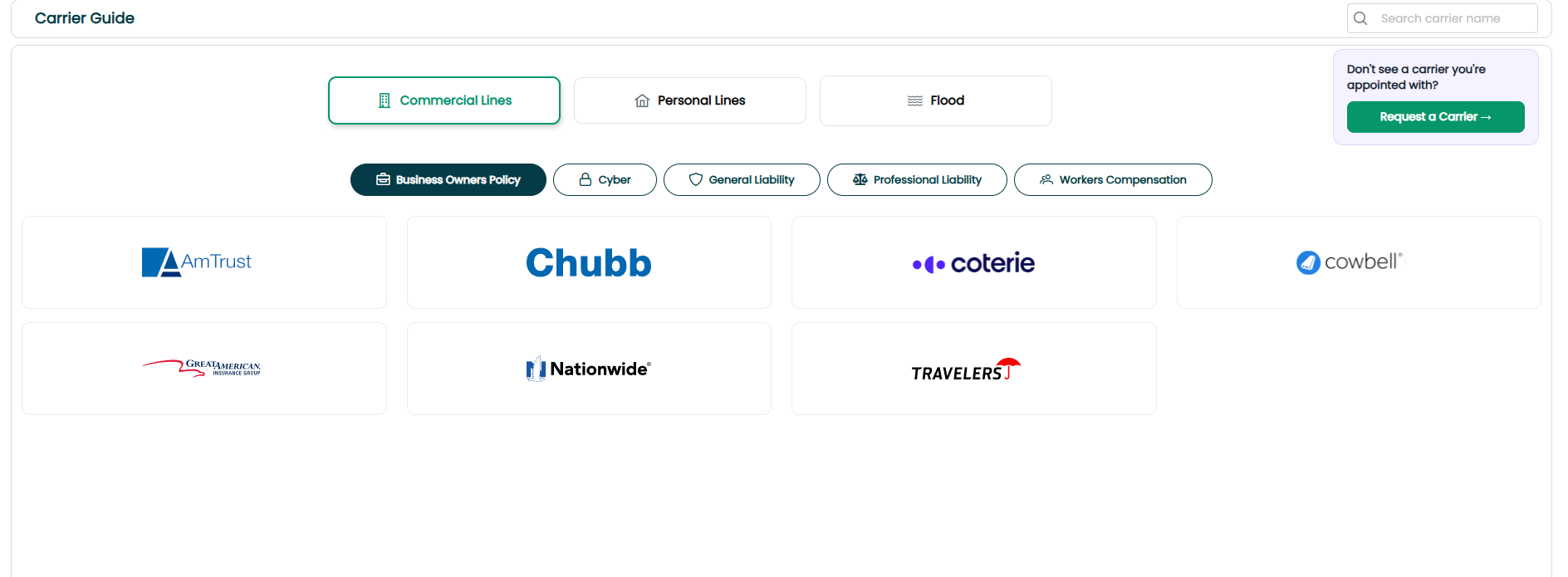
Use the Live Carrier Guide
The live Carrier Guide should be used when checking current carrier availability.
The guide allows you to review available markets by line of business and see the available access method for each carrier.
Live Carrier Guide:
https://nc.clrater.com/NCR/carrierGuide/external
Because the Carrier Guide is updated as market availability changes, it should be used instead of a static list of carriers.
Understanding Carrier Access
The Carrier Guide identifies how a carrier can be accessed through Momentum RATE.
Direct Appointment
Direct indicates that the carrier can be accessed using your agency's own direct appointment.
Your agency must configure the applicable carrier credentials in Carrier Settings before using a direct appointment through RATE.
MomentumWIN
MomentumWIN provides wholesale access to commercial markets that may be available beyond your agency's direct appointments.
MomentumWIN can be useful when your agency does not have a direct appointment or needs additional market options for a commercial risk.
Semsee
A carrier identified as Semsee is available through the Semsee access option within the Momentum RATE carrier network.
BTIS
A carrier identified as BTIS is available through the BTIS access option within the Momentum RATE carrier network.
Note: The Carrier Guide identifies the available access method. Carrier access does not necessarily mean that every carrier is available for every risk or in every state.
Carrier Availability by State
Carrier lists are not state-specific, so seeing a carrier in the Carrier Guide should not be interpreted as confirmation that the carrier is available in every state.
When working on a submission, use the current information available within RATE to determine the markets available for the selected state and risk.
Never assume that a carrier is available in a particular state based solely on its appearance in the Carrier Guide.
Carrier Appetite
Carrier availability and carrier appetite are not necessarily the same thing.
After selecting the state during the quoting process, Momentum RATE displays available markets and appetite results.
If a carrier appears greyed out, the quick appetite check indicates that the risk appears to be outside that carrier's appetite.
This means a carrier may be part of the RATE network but may not be an available market for a particular risk.
What If a Carrier Is Missing?
If a carrier your agency works with is not currently available, use the Request a Carrier feature located in the Carriers tab to submit the request.
Carrier and state additions may be requested, but availability should not be assumed or guaranteed until the requested access is available.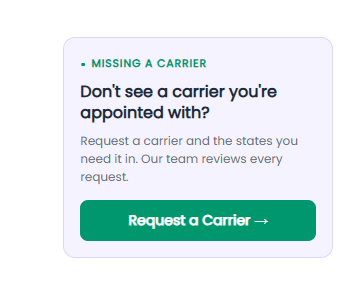
Best Practices
- Always use the live Carrier Guide. Do not rely on saved or older carrier lists.
- Confirm the state. A carrier appearing in the guide does not mean it is available in every state.
- Review appetite results. Availability can also depend on whether the risk meets the carrier's appetite.
- Configure direct appointments. If using your own carrier relationship, make sure the carrier credentials are properly configured in Carrier Settings.
- Use Missing a Carrier when needed. Submit a request when a carrier your agency needs is not currently available.
- Confirm availability for the current submission. Carrier access, state availability, and appetite can change.
Summary
Momentum CL RATE provides access to commercial markets through several access methods, including Direct Appointments, MomentumWIN, Semsee, and BTIS.
Because carrier and state availability changes, use the live Carrier Guide rather than relying on a static carrier list. During the quoting process, also review the markets and appetite information displayed in RATE for the specific state and risk being quoted.
If a carrier you need is not available, use the Missing a Carrier option in the Carriers tab to submit a request.
Was this article helpful?
That’s Great!
Thank you for your feedback
Sorry! We couldn't be helpful
Thank you for your feedback
Feedback sent
We appreciate your effort and will try to fix the article