Before submitting commercial quotes through Momentum CL RATE, configure the markets your agency will use. Carrier Settings allows you to manage your agency's direct carrier appointments and access additional wholesale markets through MomentumWIN.
Access Carrier Settings
Carrier configuration should be one of the first steps completed when setting up Momentum CL RATE.
To begin:
- Open Momentum RATE.
- Navigate to Carrier Settings.
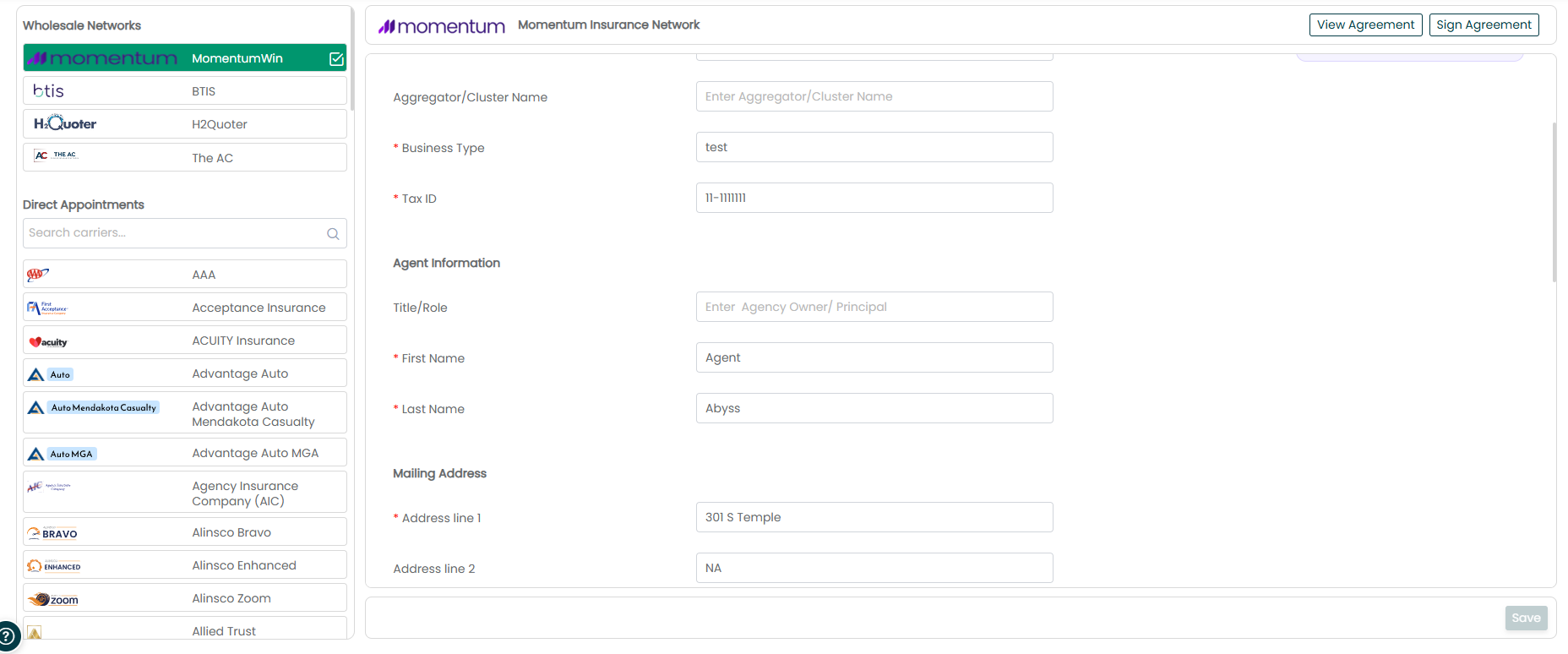
- Review the Wholesale Networks and Direct Appointments sections.
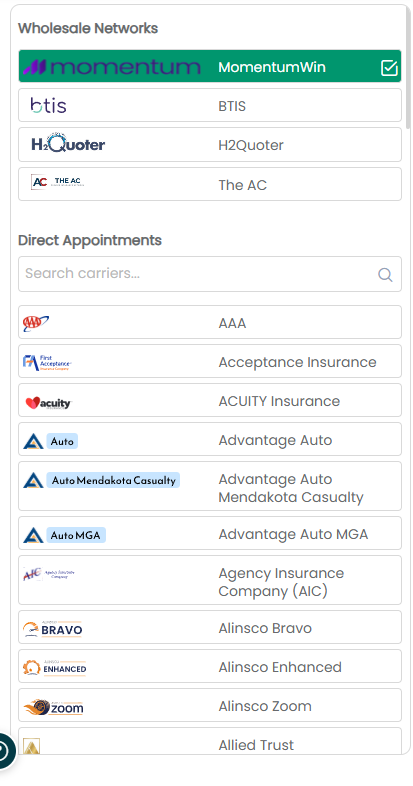
These sections represent the two primary ways your agency can access commercial markets through CL RATE.
Direct Appointments
If your agency already has a direct appointment with a supported carrier, you can configure that carrier in RATE using your agency's existing carrier credentials.
To configure a direct appointment:
- Go to Carrier Settings.
- Open the Direct Appointments list.
- Search for the carrier you want to configure.
- Click the carrier.
- Enter the requested carrier credentials.
- Click Save.
- Look for the green checkmark confirming the connection.
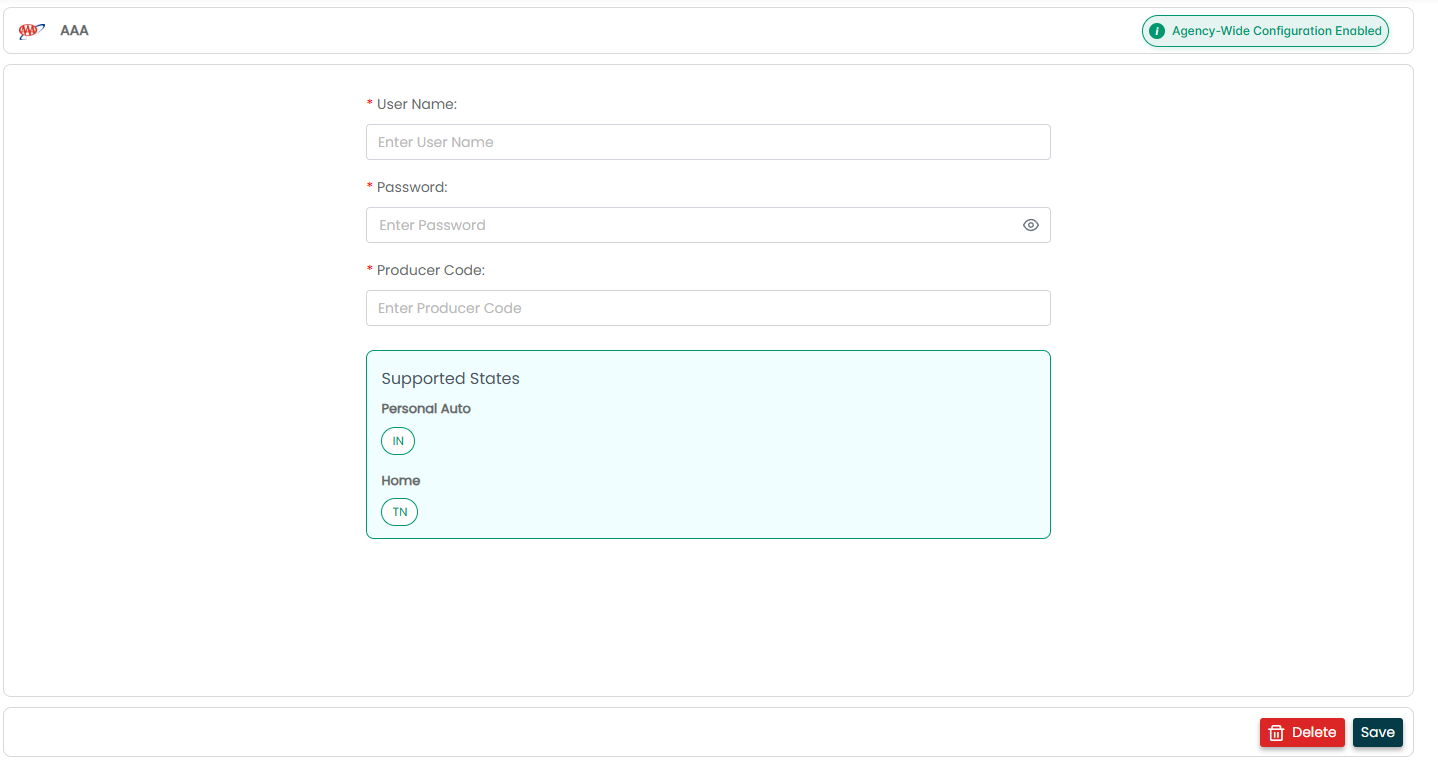
Carrier Credentials
Each direct appointment uses your agency's own carrier credentials.
Once entered in Carrier Settings, Momentum RATE uses those credentials when submitting to that carrier. If your carrier credentials change, update them in Carrier Settings to help prevent interruptions with future submissions.
Important: Carrier credentials are specific to your agency's direct appointment. Make sure the information entered in RATE matches the credentials provided by the carrier.
Confirm the Carrier Connection
After saving your credentials, look for the green checkmark next to the carrier.
The green checkmark confirms that the credentials are connected and the carrier is ready to receive submissions from Momentum RATE. Momentum_RATE_Support_Source_Ma…
If the green checkmark does not appear, review the credentials entered for the carrier before attempting a submission.
Wholesale Networks
The Wholesale Networks section provides access to markets available through Momentum's wholesale relationships.
Within this section, you will find MomentumWIN, which can provide access to additional commercial markets beyond your agency's direct appointments.
MomentumWIN
MomentumWIN is Momentum's wholesale organization and provides expanded commercial market access.
MomentumWIN may be useful when:
- Your agency does not have a direct appointment with a carrier.
- You need additional markets for a risk.
- You want to access wholesale opportunities.
- A risk does not fit your direct carrier appetite.
- You want additional options to present to the insured.
MomentumWIN Commission Structure
Business bound through MomentumWIN is subject to an 80/20 commission split.
For example, if a policy generates $1,000 in commission, the agency receives $800 and MomentumWIN receives $200.
A MomentumWIN representative may also assist with the wholesale binding process. Momentum_RATE_Support_Source_Ma…
Direct Appointment vs. MomentumWIN
The way the business is handled depends on how the carrier is accessed.
Direct Appointment
- Uses your agency's carrier credentials.
- Your agency manages the carrier relationship directly.
- Your agency keeps 100% of the commission.
MomentumWIN
- Provides wholesale market access.
- MomentumWIN supports the wholesale process.
- Business is subject to the 80/20 commission split.
- A MomentumWIN representative may assist with binding.
Checking Carrier Availability
Carrier and state availability can change over time. Use the current Carrier Guide when determining which carriers and markets are available for a particular line of business.
Important: Do not rely on previously saved carrier lists to determine current availability. Carrier and state availability changes, so always refer to the current Carrier Guide.
The RATE support materials specifically identify the carrier lists included in the source documentation as dated snapshots and direct agencies to the live Carrier Guide instead.
Best Practices
- Configure your direct appointments before running live submissions.
- Confirm the green checkmark after entering carrier credentials.
- Update credentials when they change to help prevent submission interruptions.
- Review both Direct Appointments and MomentumWIN when evaluating available market options.
- Use the current Carrier Guide rather than relying on an older carrier list.
- Do not assume a carrier is available in every state. Confirm current availability before submitting the risk.
Summary
Carrier Settings in Momentum CL RATE allows your agency to configure its direct carrier appointments and access additional commercial markets through MomentumWIN.
For direct appointments, enter your agency's carrier credentials and confirm the connection by looking for the green checkmark. For risks that need additional market options, MomentumWIN provides access to wholesale commercial markets through the same RATE workflow.
Was this article helpful?
That’s Great!
Thank you for your feedback
Sorry! We couldn't be helpful
Thank you for your feedback
Feedback sent
We appreciate your effort and will try to fix the article