Starting a commercial quote in Momentum CL RATE begins by selecting the appropriate line of business and identifying the customer or prospect being quoted. You can use an existing record from Momentum AMS to bring available information into the application or create a new record directly from the RATE workflow.
Start a New Quote
To begin a new commercial application:
- Open Momentum RATE.
- Click Start Quote.
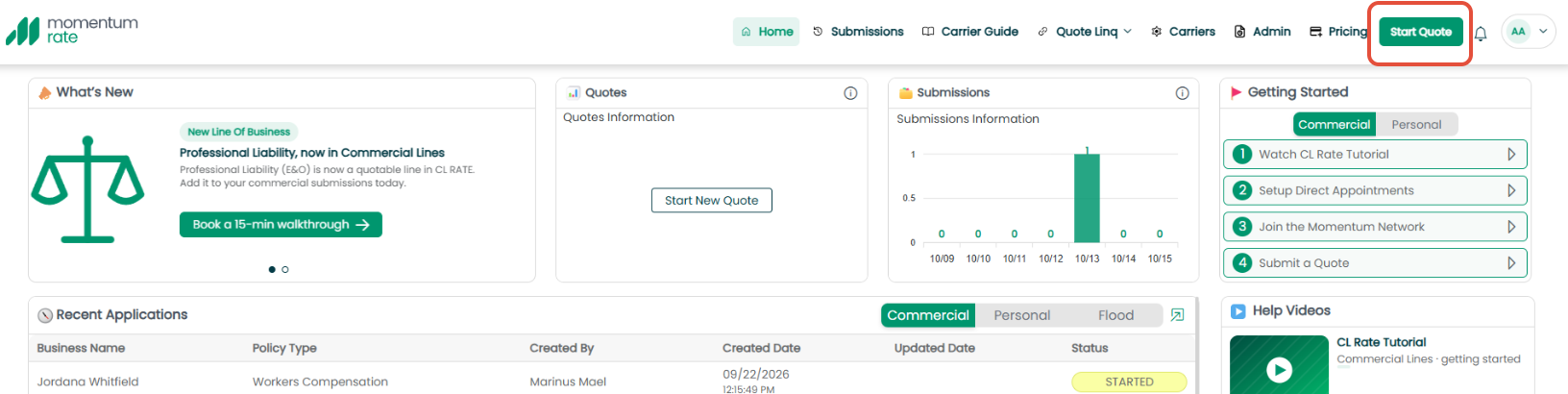
- Review the available Line of Business options.
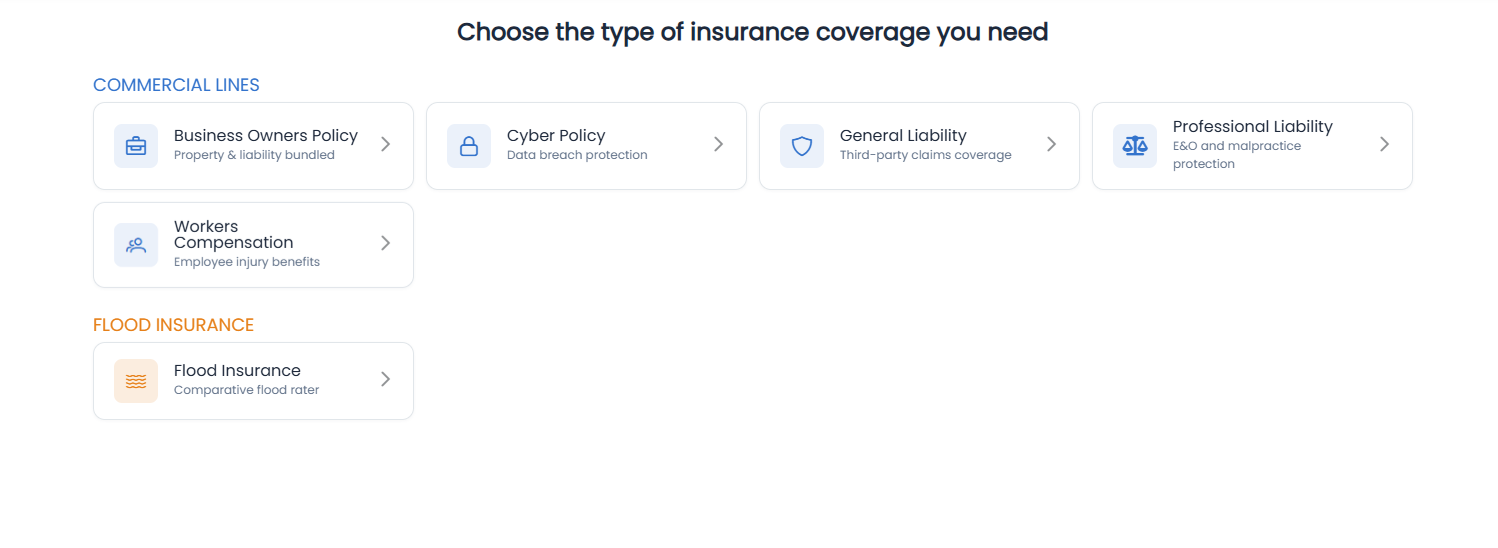
- Select the line of business you want to quote.
Momentum RATE will then begin the application workflow for the selected line of business.
Select a Line of Business
The available Line of Business tiles determine the type of commercial application you will complete.
The source documentation identifies commercial workflows including:
- Workers' Compensation
- General Liability
- Business Owners Policy (BOP)
- Cyber
Select the appropriate option for the risk you are quoting.
Search for an Existing Momentum AMS Record
Once inside the application, use the search bar to locate an existing record from Momentum AMS.
You can search for:
- Clients
- Prospects
- Insureds
Select the appropriate record to pull available information from Momentum AMS into the RATE application. 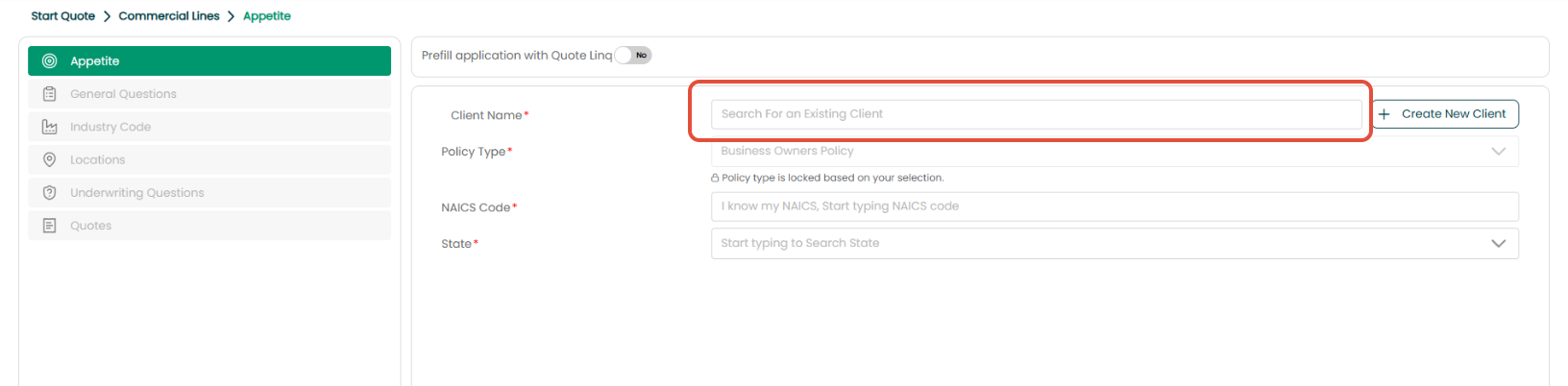
Best Practice: Search for an existing AMS record before creating a new one. Using the existing record helps keep the submission connected with information your agency already maintains in Momentum AMS.
Create a New Record
If the client, prospect, or insured does not already exist in Momentum AMS, select Create New.
The new record created through RATE will also be created in Momentum AMS, helping keep the new business opportunity and its associated information connected between the two systems. 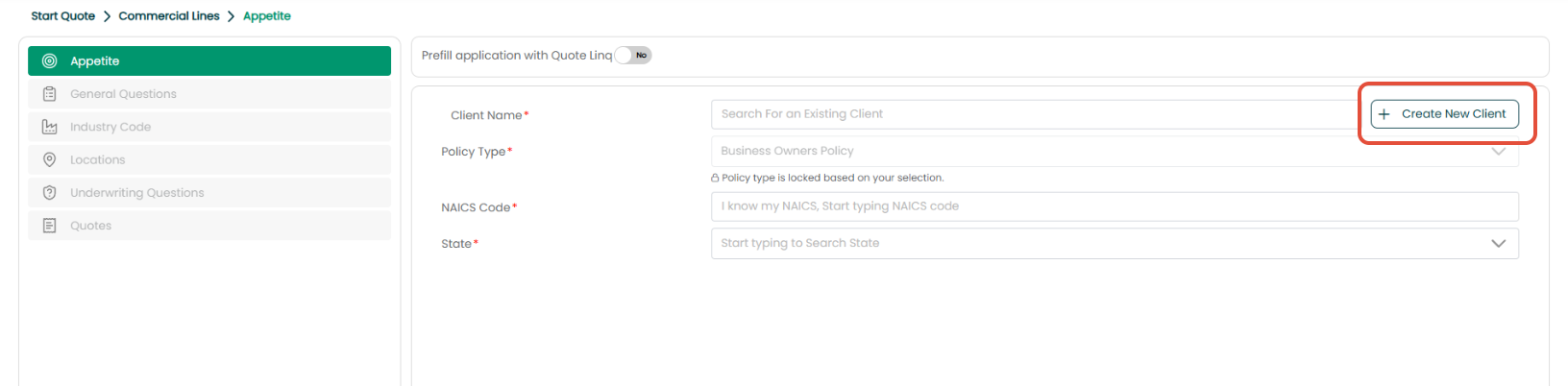
Using the AI NAICS Lookup
Momentum RATE includes an AI-powered NAICS/class code lookup to help identify the appropriate business classification.
You can:
- Enter a known NAICS code directly, or
- Enter a plain-language description of the business.
For example, the source documentation uses “Mows lawns” as an example. RATE can use the description to identify the applicable landscaping classification. 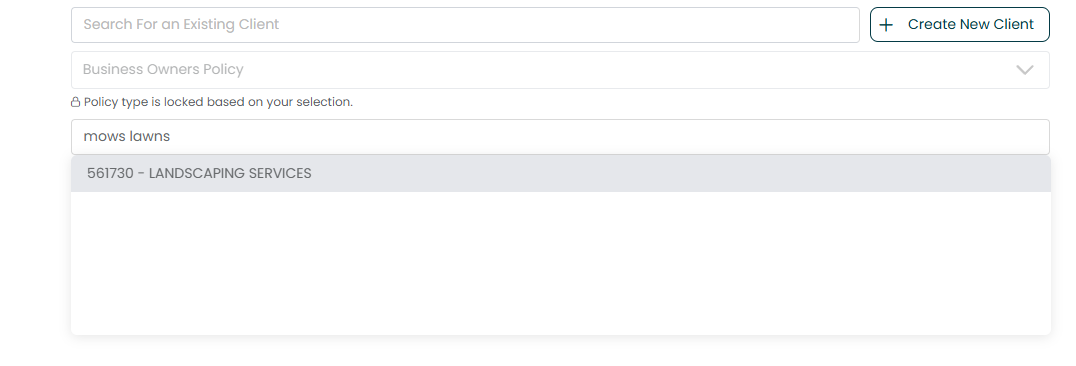
Review Available Markets
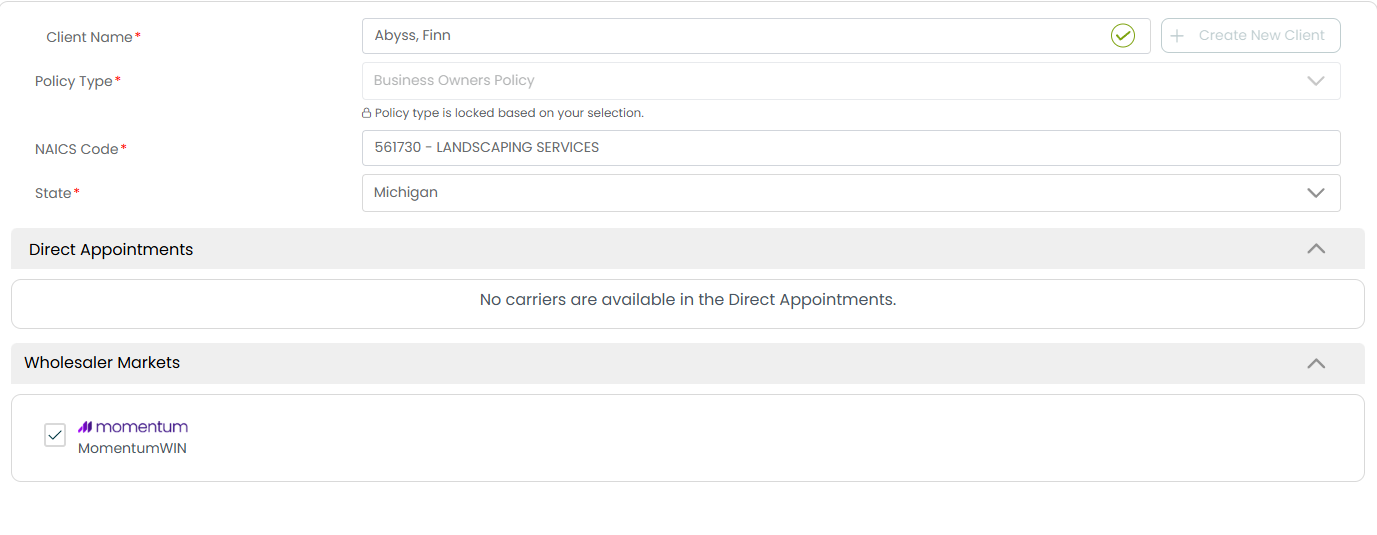
After selecting the state, Momentum RATE displays available markets for the risk.
Results may include:
- Your agency's direct appointments.
- Wholesale markets.
- Carrier appetite results.
If a carrier appears greyed out, the quick appetite check indicates that the risk appears to be outside that carrier's appetite.
Important: An appetite result helps identify potential markets for the risk. Continue reviewing the application and market information before submitting to the selected carriers.
Continue to the Application
After selecting the appropriate record and beginning the quote, continue through the application and complete the required information for the selected line of business.
Some information may already be populated from Momentum AMS. Additional questions and required fields will depend on the type of commercial risk being quoted.
The application itself is covered in more detail in CL RATE | Completing a Commercial Lines Application.
Best Practices
- Select the correct Line of Business before beginning the application.
- Search Momentum AMS before creating a new record to help prevent duplicate customer records.
- Review information pulled from Momentum AMS before continuing.
- Use the AI NAICS lookup when needed to help identify the appropriate business classification.
- Review available markets and appetite results before deciding where to submit the risk.
- Complete and review the application carefully before submitting it to carriers.
Summary
To start a commercial quote in Momentum CL RATE, select Start Quote, choose the appropriate Line of Business, and identify the customer being quoted.
Existing clients, prospects, and insureds can be selected from Momentum AMS so available information flows into the application. If the customer does not already exist, a new record can be created through RATE and will also be created in Momentum AMS.
Once the record is selected, you can continue through the commercial application, review available markets and appetite results, and prepare the submission for quoting.
Was this article helpful?
That’s Great!
Thank you for your feedback
Sorry! We couldn't be helpful
Thank you for your feedback
Feedback sent
We appreciate your effort and will try to fix the article