Overview
Finance Companies are maintained in a central list within Momentum AMS. Once added, they become available for selection on policy records throughout the system. Before creating a new finance company, always search the existing list to avoid creating duplicate records.
Finance Companies are maintained in a central list within Momentum AMS. Once added, they become available for selection on policy records throughout the system. Before creating a new finance company, always search the existing list to avoid creating duplicate records.
Method 1 – Add a Finance Company Using the Add New Menu
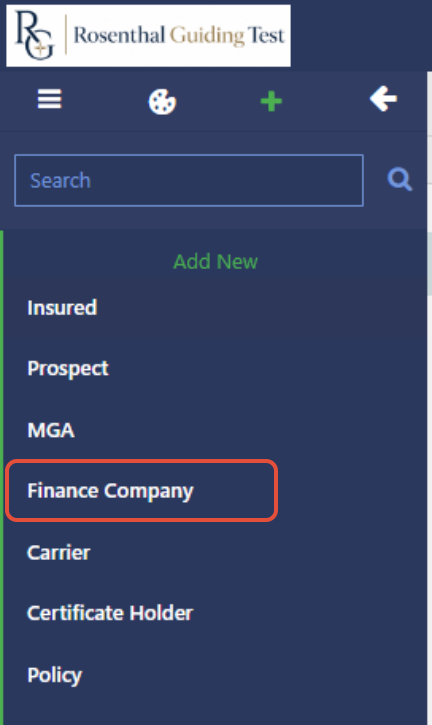
- Click the Add New (+) button from the main navigation.
- Select Finance Company.
- The Finance Companies screen will open.
Method 2 – Add a Finance Company from Contacts
You can also access the same list by:
- Opening Contacts from the left navigation.
- Selecting Finance Companies.
Both navigation paths open the same Finance Company list.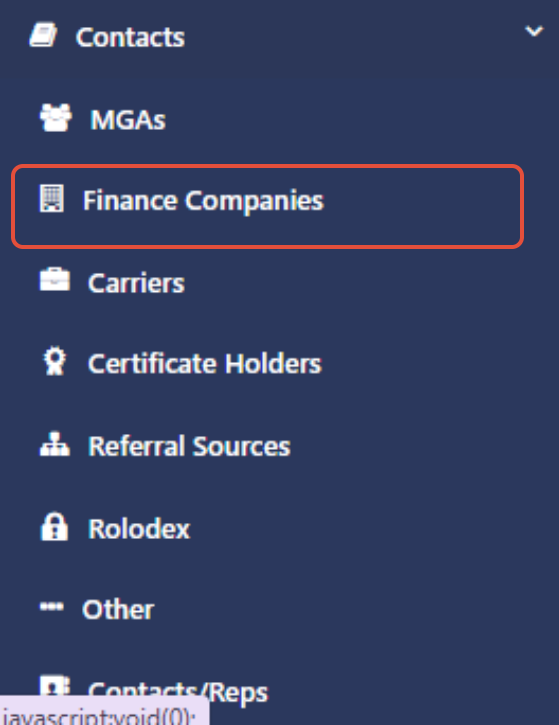
Add a New Finance Company
Once the Finance Companies screen is open:
- Click Add New (if necessary).

- Enter the Finance Company Name.
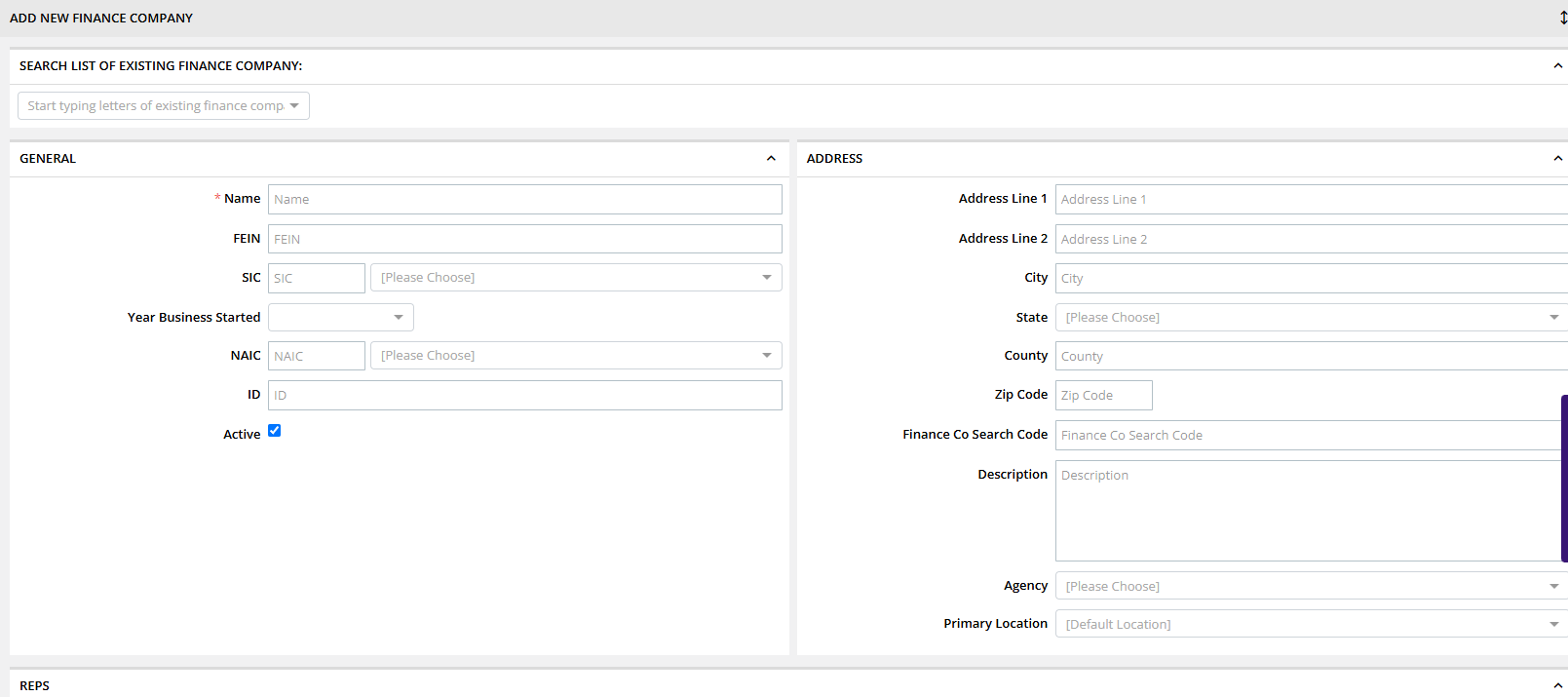
- Click Save Changes.
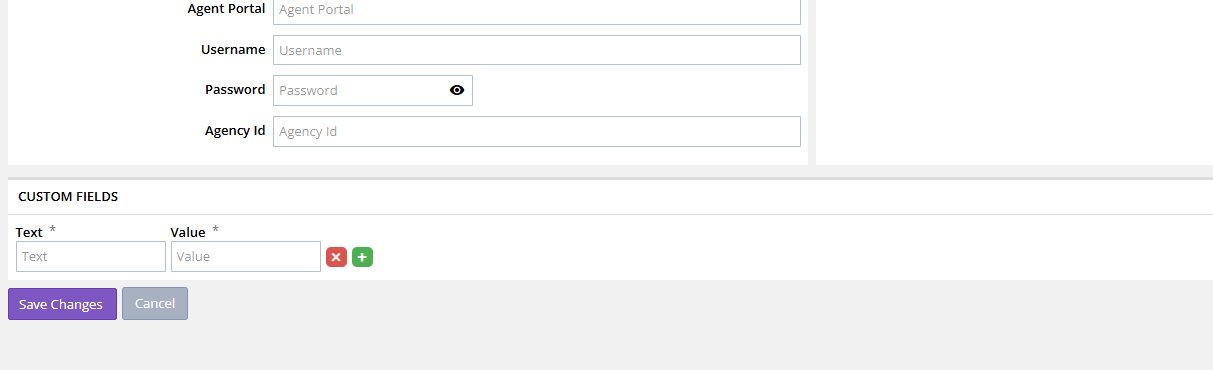
Only the company name is required to create the record.
Verify the Finance Company
After saving:
- Open a policy.
- Locate the Finance Company field.
- Open the dropdown list.
- Verify the newly created finance company is available for selection.
If the company does not appear immediately, refresh the page and verify that the record was saved successfully.
Best Practices
- Search the Finance Company list before creating a new record.
- Use consistent naming conventions throughout your agency.
- Enter only the official finance company name unless additional information is required.
- Verify the company appears in the policy dropdown after saving.
Common Questions
Why doesn't my finance company appear on the policy?
Possible causes include:
- The company was not saved successfully.
- The page needs to be refreshed.
- A duplicate company already exists under a slightly different name.
Summary
Adding a Finance Company is a simple process that makes the company available throughout Momentum AMS for policy financing.
To add a Finance Company:
- Navigate to the Finance Company list using either available method.
- Search for an existing record to avoid duplicates.
- Enter the company name.
- Save the record.
- Verify it appears in the Finance Company dropdown on policy records.
Was this article helpful?
That’s Great!
Thank you for your feedback
Sorry! We couldn't be helpful
Thank you for your feedback
Feedback sent
We appreciate your effort and will try to fix the article