Momentum AMS offers access to the Model Context Protocol (MCP), allowing compatible AI assistants and automation tools to securely connect to your Momentum data using natural language. With MCP, users can search, manage, and interact with records such as insureds, policies, drivers, certificates, claims, and more through supported AI clients.
What Is MCP?
MCP stands for Model Context Protocol.
It allows external AI tools to securely connect to Momentum AMS so users can interact with the system using conversational commands instead of traditional navigation.
Examples:
- “Find this insured”
- “Show all active policies”
- “Create a task for this account”
- “Pull a certificate holder”
- “Search open claims”
MCP is designed for:
- AI assistants
- Developer tools
- Automation workflows
- API-based integrations
Supported AI Clients
Momentum MCP works with most MCP-compatible AI platforms, including:
- Claude Desktop
- Cursor
- Windsurf
- Cline
- Continue.dev
- n8n
- Zapier
- Other MCP-compatible clients
Available Tools Through MCP
Momentum currently supports 40+ tools across multiple categories, including:
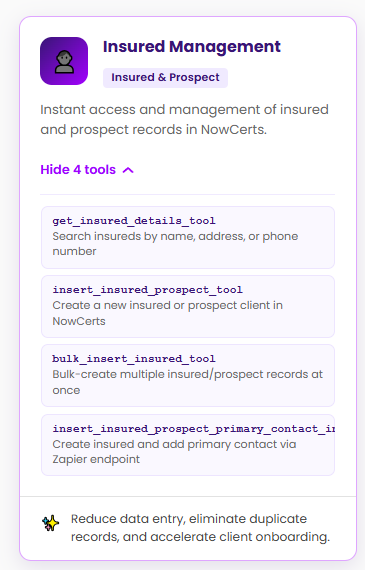
Insured & Prospect Management
- Search insureds
- Create new insureds
- Manage prospect records
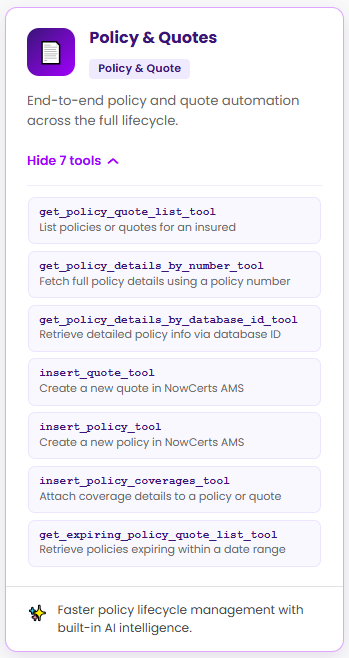
Policies & Quotes
- View policy details
- Access quote information
- Manage policy lifecycle data
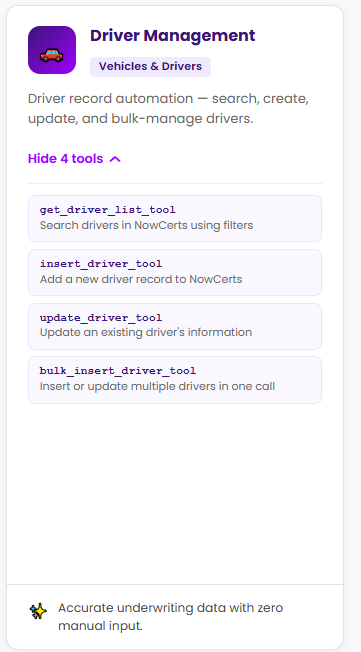
Vehicles & Drivers
- Search and update driver records
- Manage vehicles
- VIN-related lookup and validation
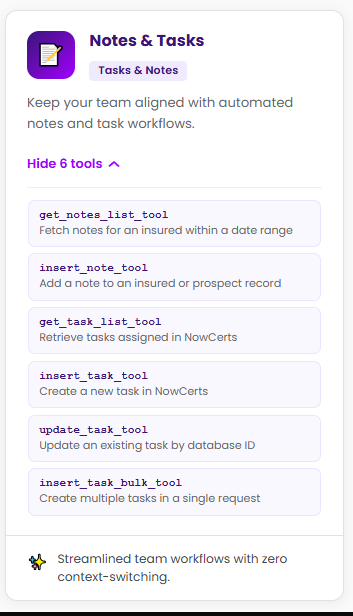
Tasks & Notes
- Create tasks
- Manage notes
- Keep team workflows organized
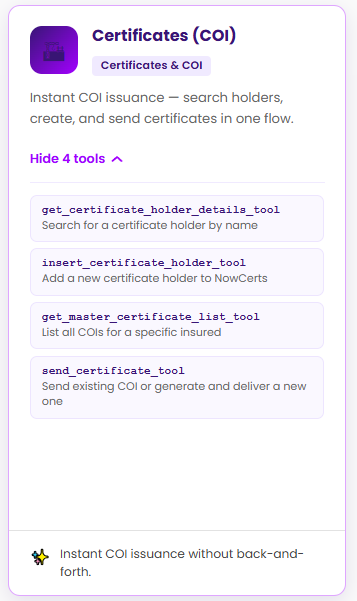
Certificates (COIs)
- Search certificate holders
- Create certificates
- Send certificates
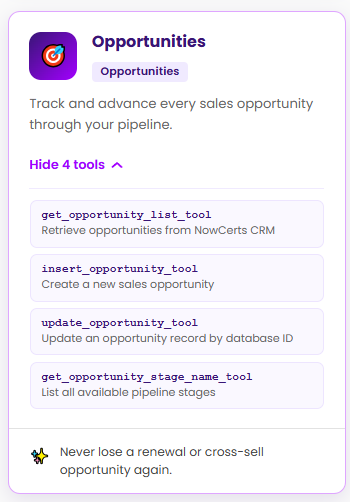
Opportunities
- Track pipeline activity
- Review opportunities
- Support renewals and cross-sell workflows
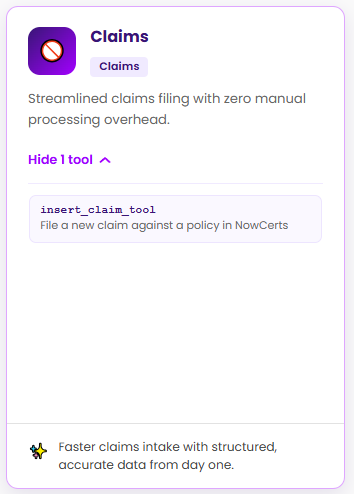
Claims
- Submit and review claims
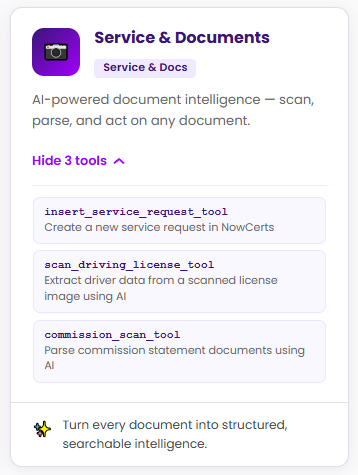
Service & Documents
- Work with uploaded files
- AI-powered document processing
- Structured data extraction
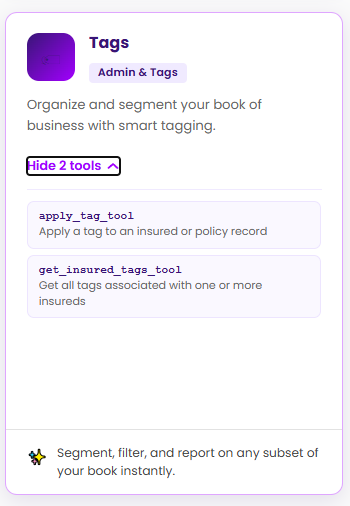
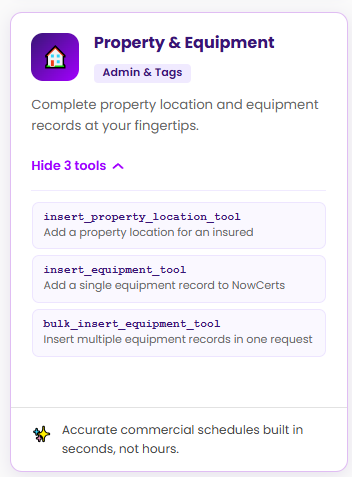
Tags, Property & Equipment
- Organize records
- Manage schedules and equipment data
How to Connect
Momentum MCP uses Streamable HTTP (SSE) transport.
Endpoint
https://mcp.momentumamp.com/mcp
Authentication
Access requires a Momentum MCP API Key.
Authentication is passed as:
Authorization: Bearer YOUR_MCP_API_KEY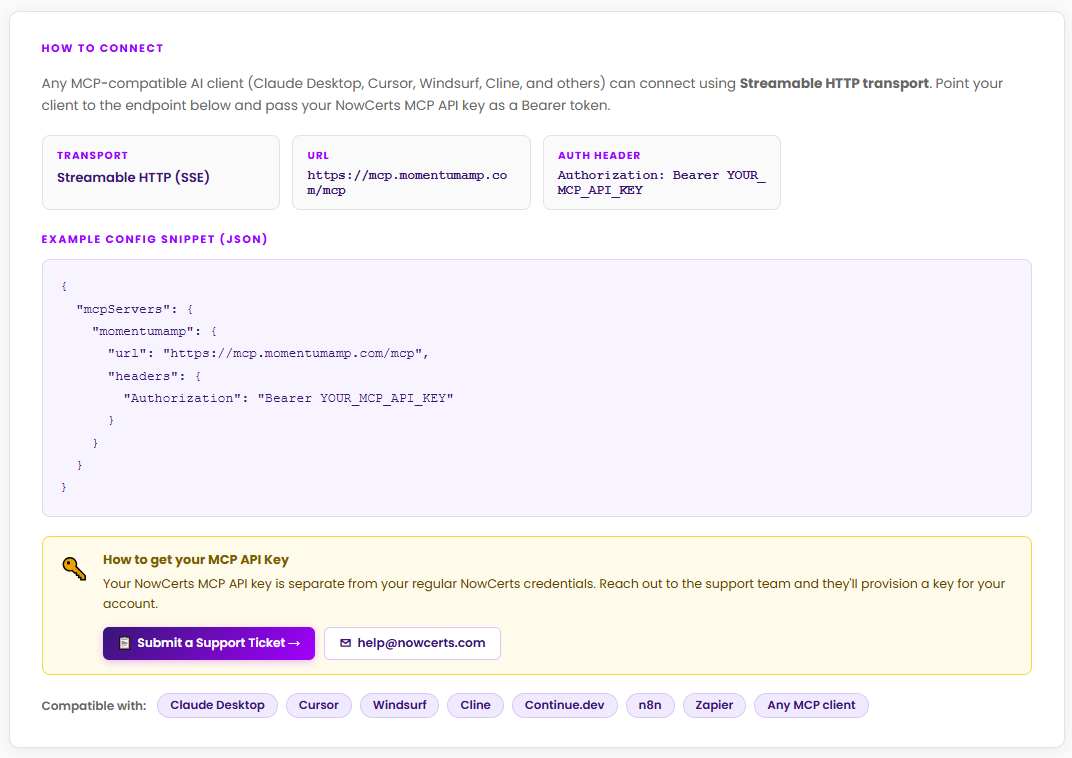
How to Get an MCP API Key
- Log in to your Momentum AMS account.
- Open the Momentum AI found in the left navigation bar.
- Inside the Momentum AI page, add &support=true at the end of the link (this step enables the Settings button to be visible), then hit enter.
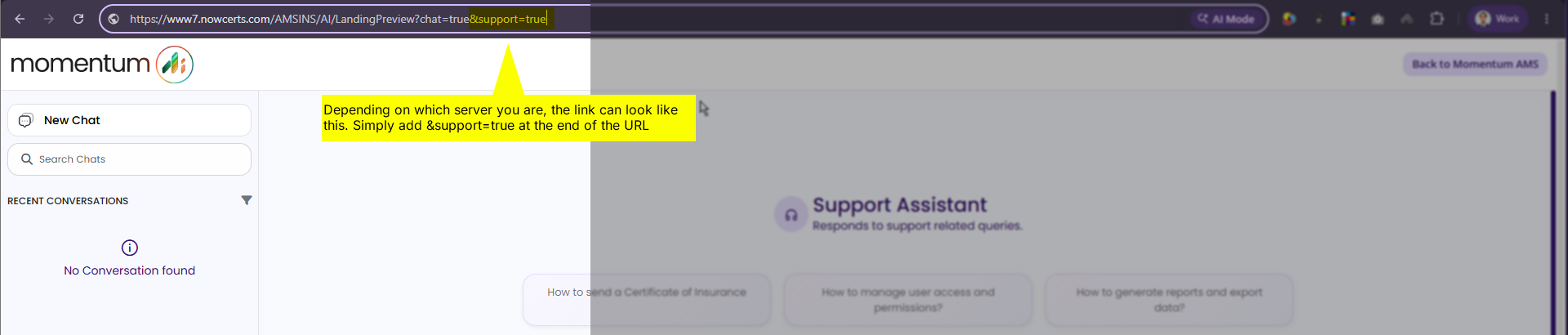
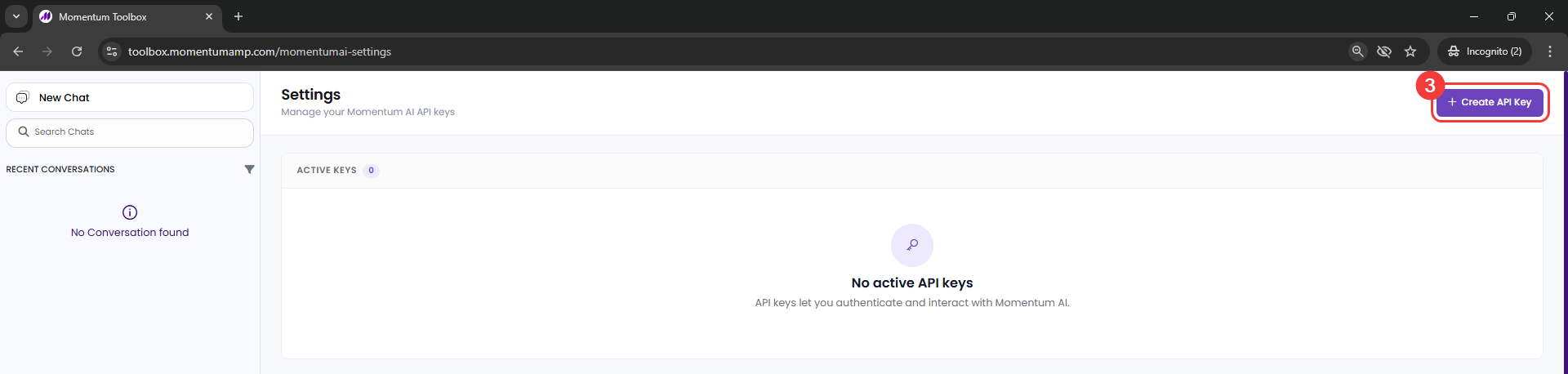
- Once the page reloads in the new URL, click on Settings found at the bottom.
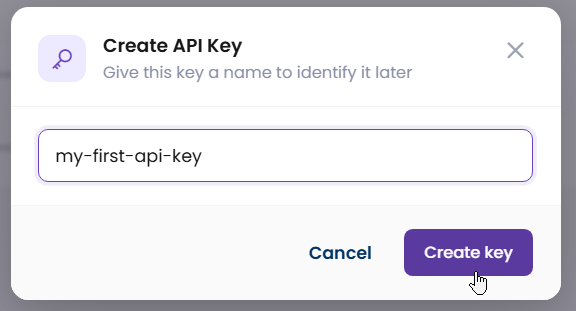
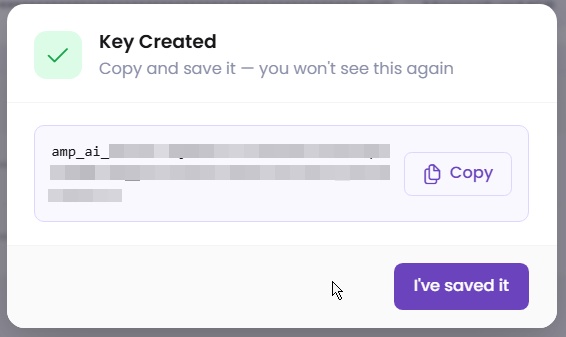
- In the settings page, click on Create API Key at the top right and assign a name for identification. Keep a copy of your API key somewhere safe as it will no longer be visible once you close the popup.
Testing & Development
The MCP endpoint can be used for:
- AI assistant integrations
- Development testing
- Workflow automation
- Connected applications using natural language actions
For users building custom integrations, your development team may connect using supported MCP-compatible tools.
Important Notes
- MCP access requires authentication with a valid API key
- Your regular Momentum username/password will not work as MCP credentials
- API access should be handled securely and only shared with approved users or systems
- Browser access to the MCP endpoint is informational only—connections are intended for MCP-compatible clients
Summary
Momentum MCP makes it possible to bring AI directly into your Momentum AMS workflow.
Use it to:
- Search records faster
- Automate repetitive tasks
- Reduce manual navigation
- Connect supported AI assistants to your agency data securely
For access or setup assistance, contact the Momentum Support Team.
Key Clarifications
- MCP API access is separate from the standard Momentum AMS login
- Not all agencies may require MCP access
- MCP is primarily intended for integrations, automation, and AI-assisted workflows
- Support can assist with provisioning access and answering setup questions
Was this article helpful?
That’s Great!
Thank you for your feedback
Sorry! We couldn't be helpful
Thank you for your feedback
Feedback sent
We appreciate your effort and will try to fix the article