Momentum AMS does not directly integrate with EZLynx. However, applicant information from EZLynx can be exported as an ACORD XML file and then imported into Momentum AMS. This provides a convenient way to transfer available applicant, driver, vehicle, coverage, and application information without manually re-entering the data.
Export the Applicant from EZLynx
Begin by locating the applicant in EZLynx that you would like to transfer into Momentum AMS.
- Open the applicant in EZLynx.
- Locate the option to Export the applicant/application.
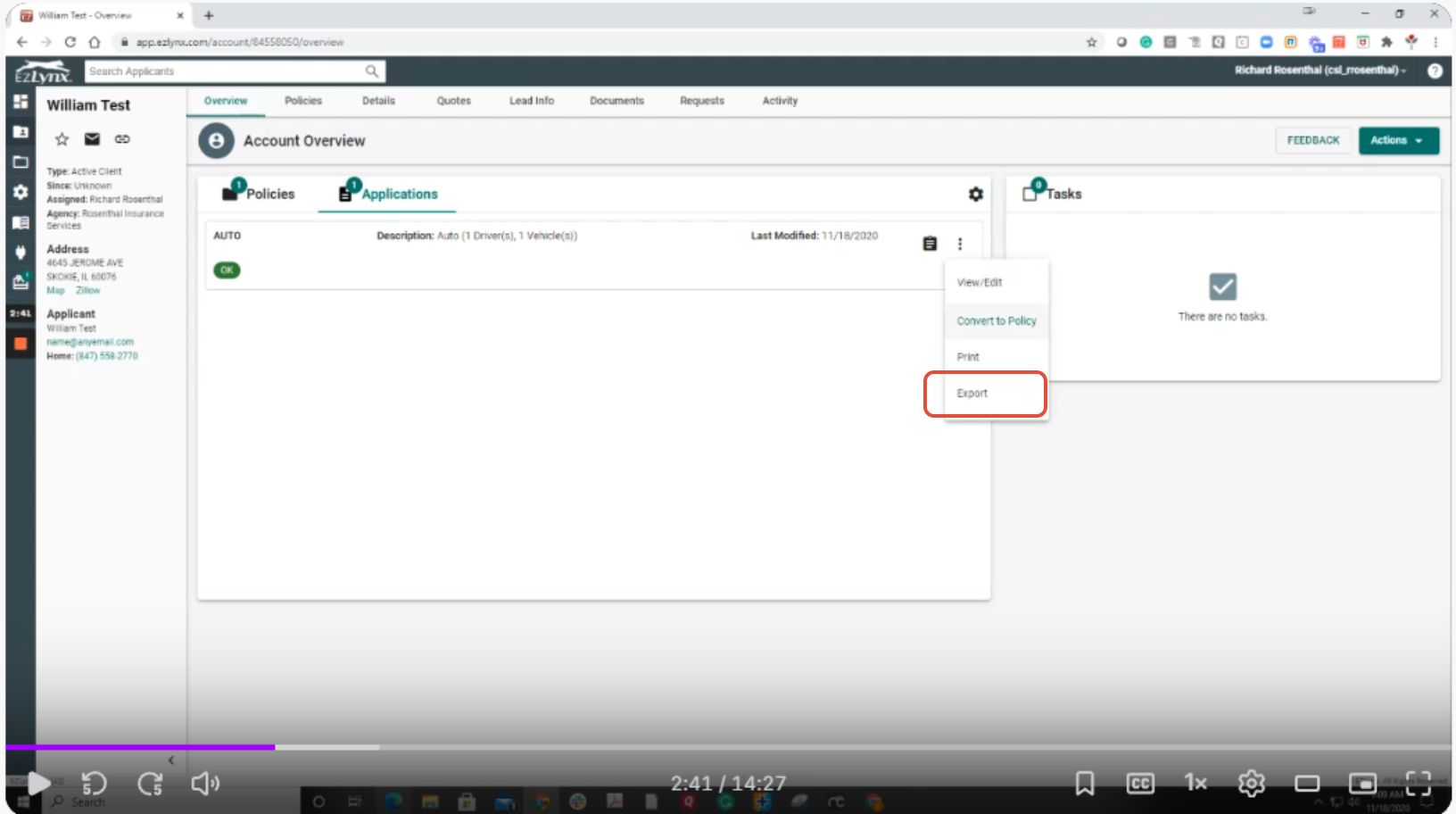
- Select the option to export the information as an ACORD XML file.
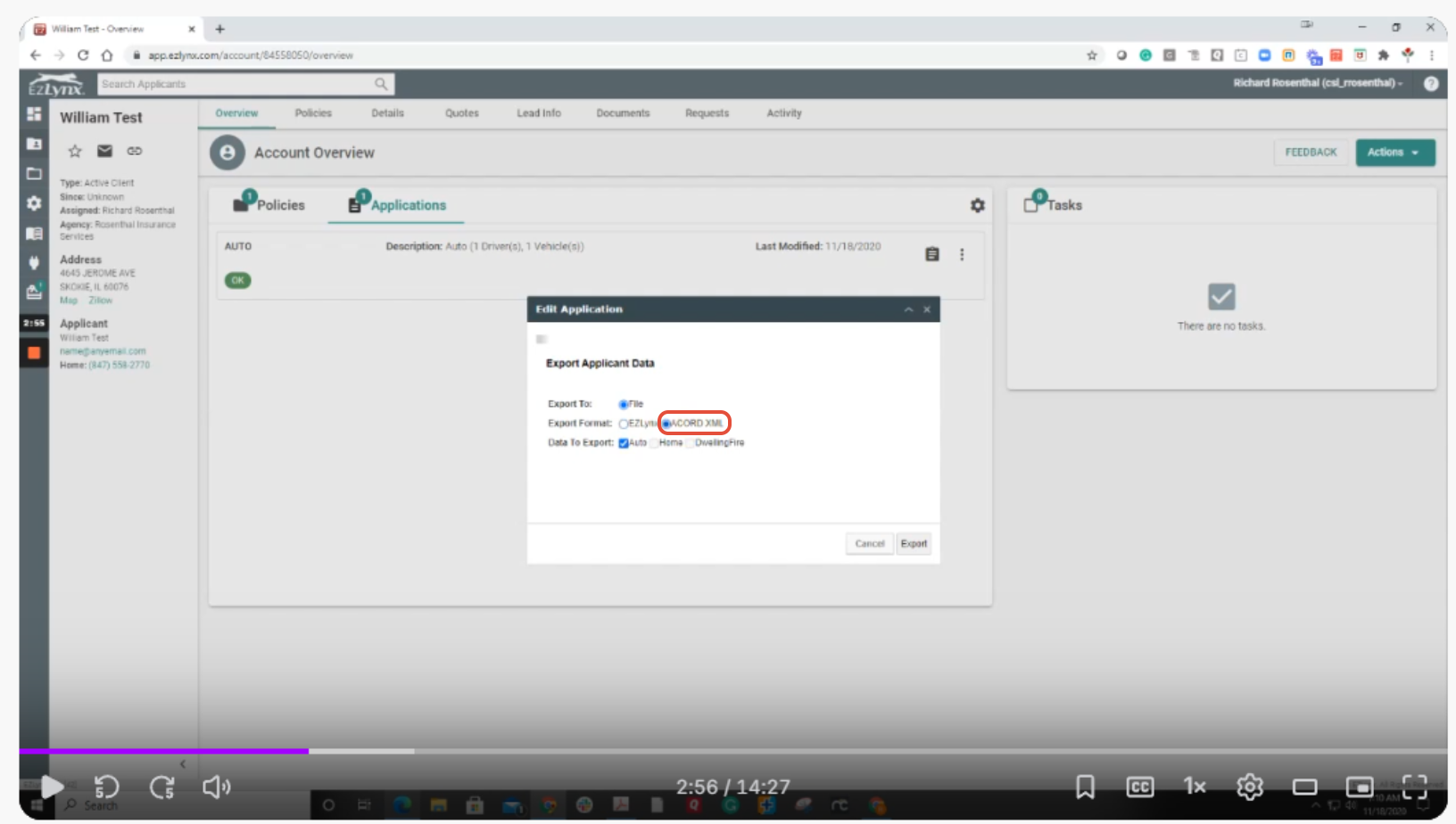
- Save the XML file to a location on your computer where you can easily find it.
Upload the ACORD XML File into Momentum AMS
After downloading the XML file from EZLynx, you can upload it into Momentum AMS through the carrier download/import process.
- Log in to Momentum AMS.
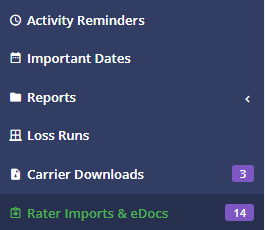
- Navigate to the Rater Imports & Edocs on the left navigation
- Navigate to the area used to upload an ACORD XML file.
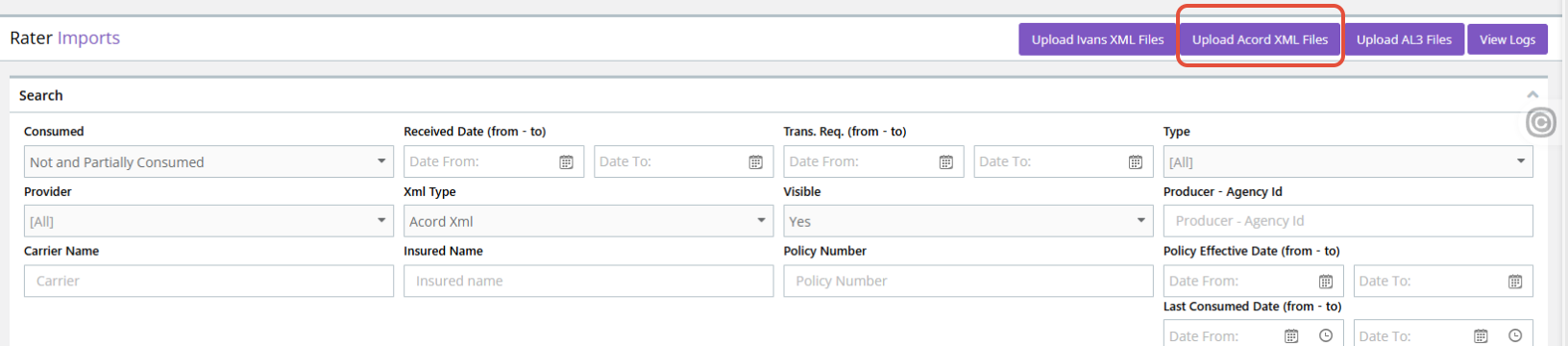
- Select the XML file that you exported from EZLynx.
- Upload the file.
- Once the file has been processed, locate the newly uploaded transaction.
Process the Imported Transaction
The uploaded ACORD XML file will appear as a transaction that can be processed in Momentum AMS.
- Open the imported transaction.
- Review the information contained in the file.
- Select the option to Add or process the transaction.
- When prompted, allow Momentum AMS to create the appropriate prospect record from the imported information.
Once processed, Momentum AMS creates the prospect using the information available in the ACORD XML file.
Review the Prospect
After the transaction has been added, open the newly created prospect and review the imported information.
Depending on the information contained in the EZLynx ACORD XML file, Momentum AMS may bring over data such as:
- Applicant/contact information
- Address information
- Drivers
- Vehicles
- Application information
- Coverage information
- Other data included within the ACORD XML file
Why Use This Method?
This process can save considerable time when an applicant or quote has already been entered into EZLynx. Rather than manually entering the same information again in Momentum AMS, the ACORD XML file can be used to create the prospect and populate the information available in the exported application.
This can be especially helpful when moving an applicant from the quoting process into Momentum AMS for continued follow-up, documentation, or policy servicing.
Was this article helpful?
That’s Great!
Thank you for your feedback
Sorry! We couldn't be helpful
Thank you for your feedback
Feedback sent
We appreciate your effort and will try to fix the article