Default Renewal Workflows: A Quick Guide
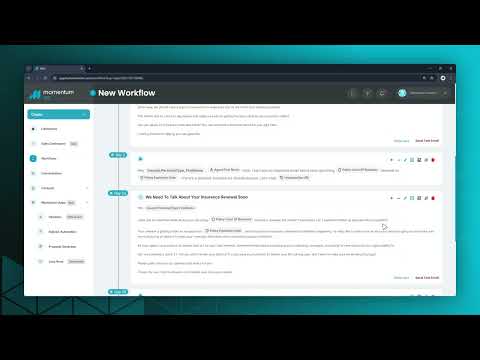
Inside the Default Paid Workflows folder, you will find three pre-built automations. These are designed to automate your retention strategy by detecting rate changes and triggering the appropriate follow-up automatically.
1. Renewal Above Percentage – Emails
Best For: Proactive communication when a premium increases significantly (e.g., 25% or more).
- Trigger: Policy Status changes to Renewing.
- Logic: Limit Contact Entry is ON (30 days) to prevent spamming clients with multiple policies.
- Filters: Checks for a premium increase between 25%–100%.
- Action: Sends a sequence of Emails and SMS (Days 1, 2, 15, 20, etc.) to manage the client's expectations.
2. Renewal Below Percentage
Best For: Identifying stable accounts (0%–24% increase) that might be candidates for upselling or cross-selling.
- Trigger: 30 Days Before Expiration.
- Logic: Limit Contact Entry is OFF. If a client has 3 policies expiring, this runs for all 3.
- Filters: Targets specific lines (Default: Commercial Auto) with low rate increases.
- Action: Adds a Tag, Creates a Sales Opportunity, and updates the Opportunity Stage (Internal focus).
3. Renewal Above Percentage – Creates Opportunity
Best For: Agencies who prefer tasks over automation. This alerts the team to handle the high-increase renewal manually.
- Similar Trigger: Runs on high percentage increases.
- Action: Instead of sending emails, it immediately Creates an Opportunity and Assigns a Task to the CSR on record to review the file.
Configuration Tips: Controlling the Exit
To ensure your automation feels "smart," you must configure when it should stop. You can find these options in the Settings tab of the workflow.
By default, these workflows may be set to exit if a client Opens an Email or Clicks a Link.
Tip: If you want the sequence to continue (e.g., to send educational info) even after they click, you should disable these checkboxes.
We highly recommend adding a Status Exit condition. Configure the workflow to stop immediately if the Policy Status changes to Renewed, Cancelled, or Expired. This prevents sending "Action Required" emails to clients who have already renewed.
Was this article helpful?
That’s Great!
Thank you for your feedback
Sorry! We couldn't be helpful
Thank you for your feedback
Feedback sent
We appreciate your effort and will try to fix the article