The Client Portal allows you to quickly send Certificates of Insurance (COIs) directly to certificate holders without contacting your agency. Certificates are generated using pre-approved templates, ensuring your coverage information is accurate and compliant while allowing you to send certificates whenever you need them.
How to Send a Certificate
1. Log In to the Client Portal
Log in using your email address and password.
Once logged in, you will be taken to your Client Portal dashboard.
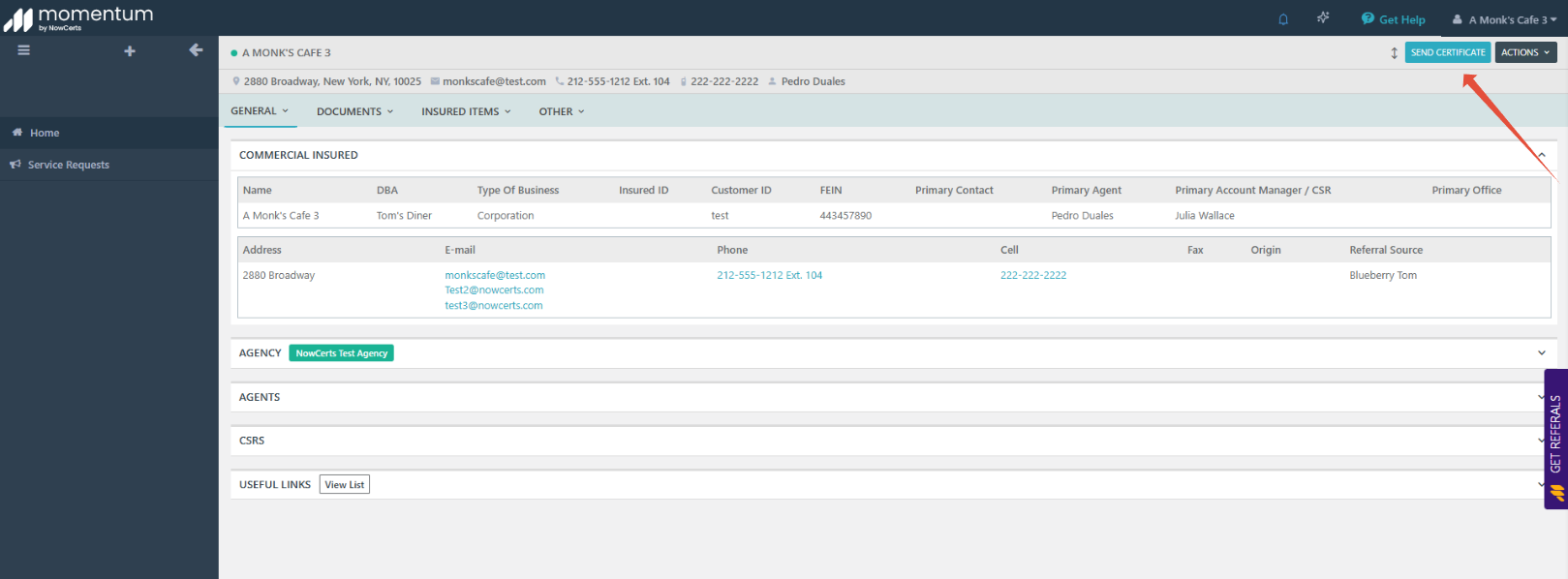
2. Click “Send Certificate”
From the dashboard, locate the Send Certificate button in the top-right corner of the screen.
Click Send Certificate to begin.
3. Select or Add a Certificate Holder
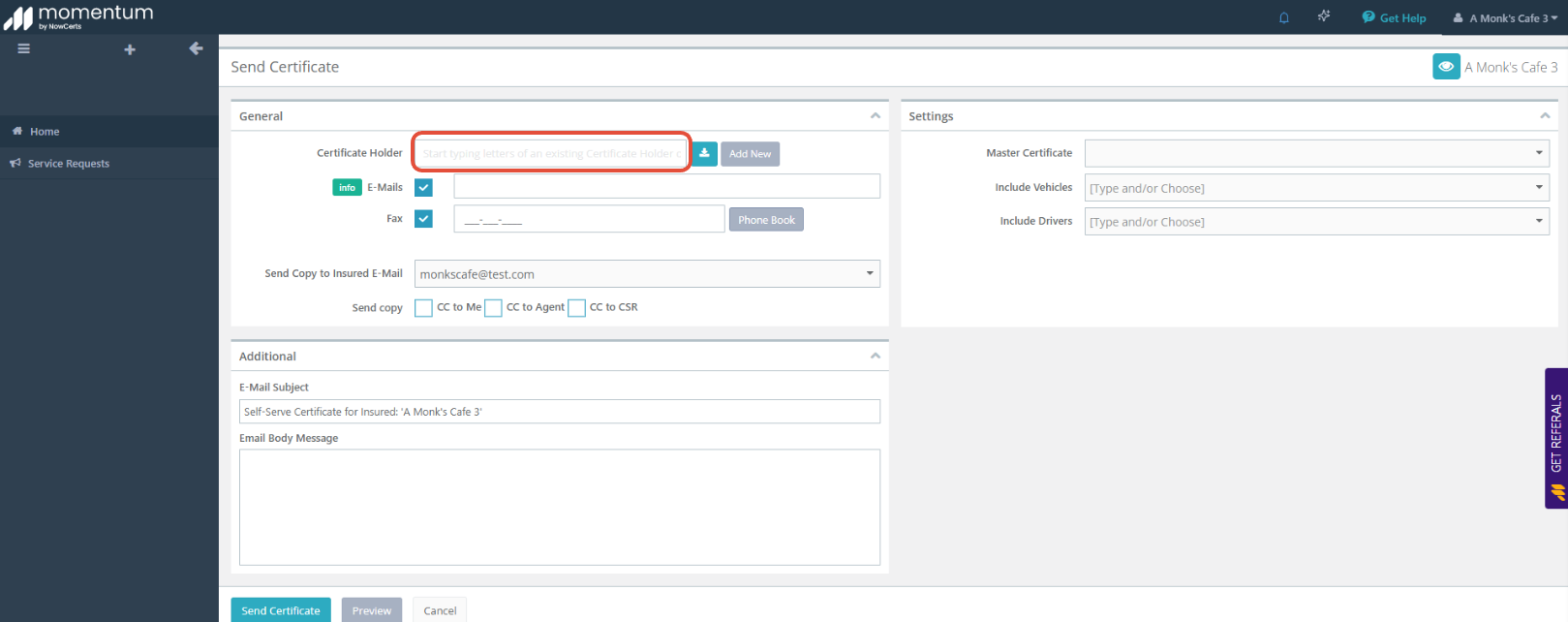
You can choose an existing certificate holder or add a new one.
Select an Existing Holder
Use the dropdown list to select a certificate holder you’ve used before.
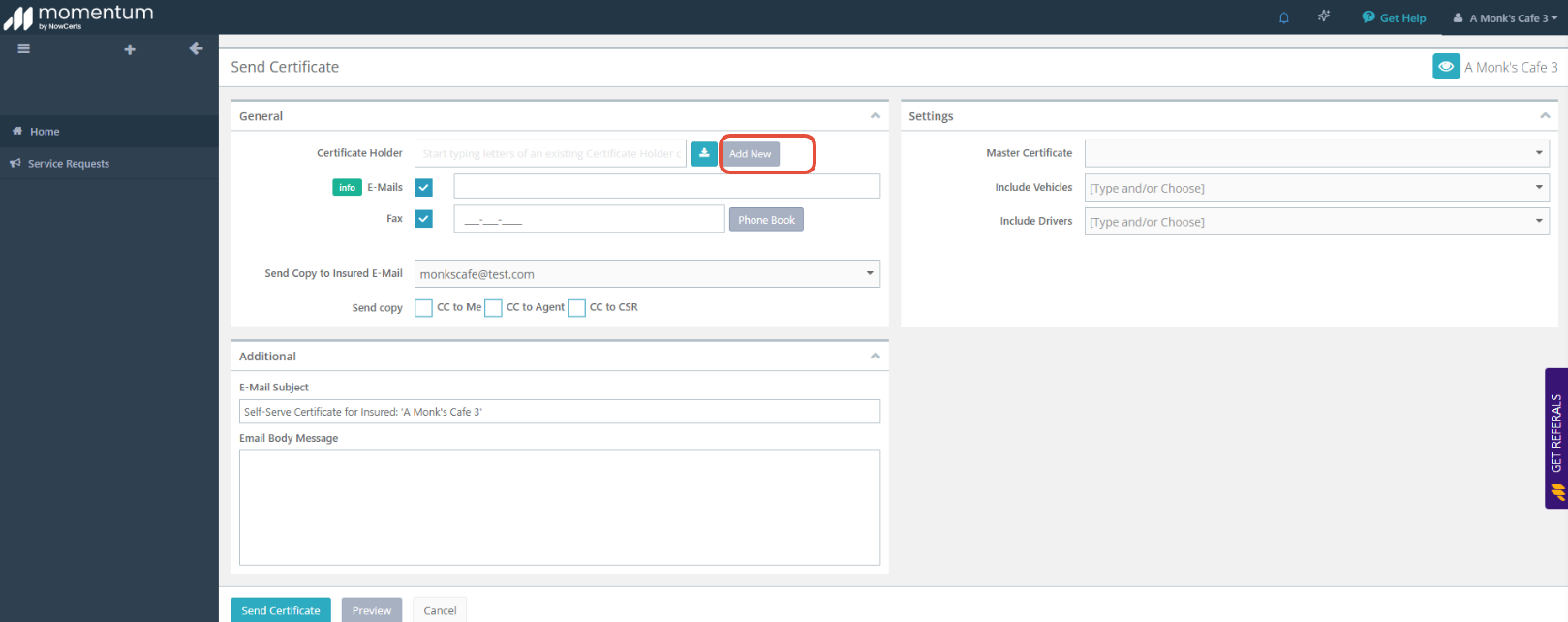
Add a New Holder
Click Add New.
Enter the required details:
Certificate holder name
Address
Email address or fax number
4. Review Certificate Details
The certificate is automatically created using your policy information.
Coverage details, limits, and descriptions are pre-filled and cannot be edited.
Important:
You are not able to change:
Coverage limits
Policy information
Certificate wording
If you need changes to the certificate wording or coverage, please contact your agency directly.
5. Send the Certificate
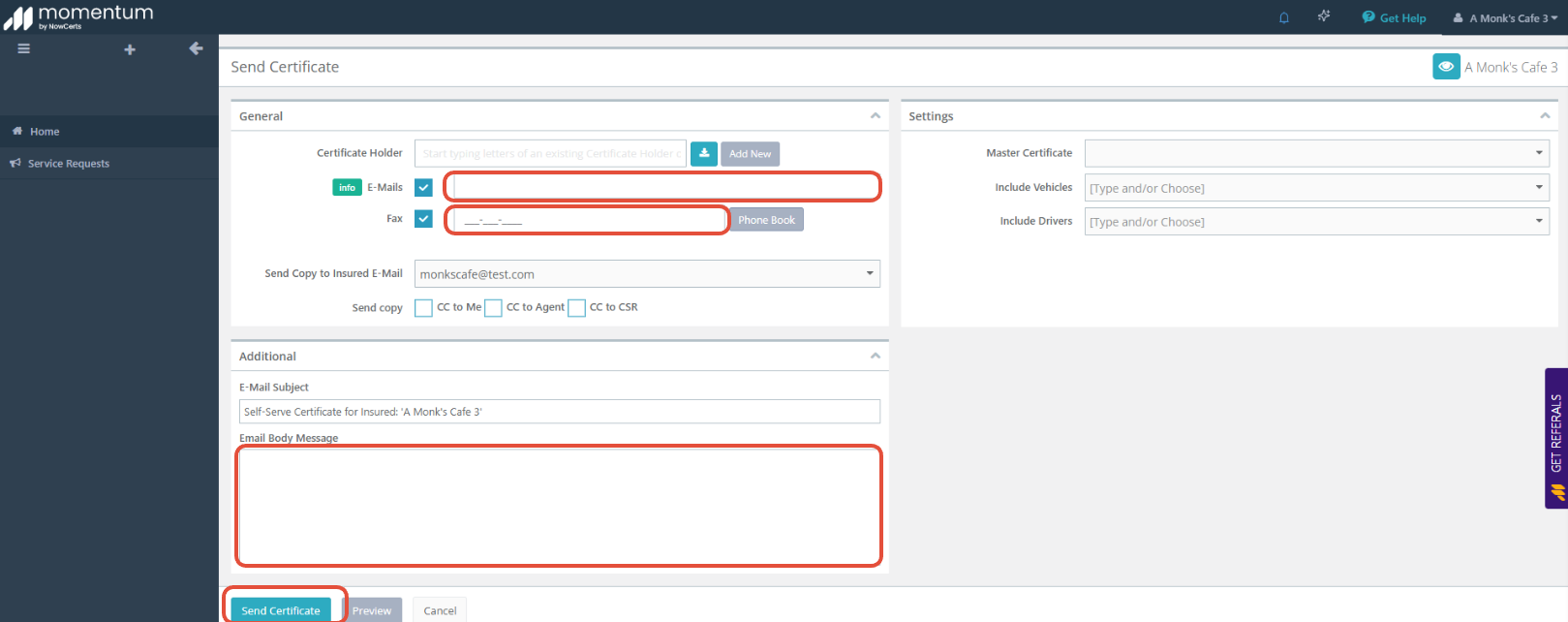
Before sending, you may:
Add CC email addresses to receive a copy
Enter an optional message for the recipient
To send:
Click Send Certificate
The certificate is delivered immediately to the certificate holder by email (or fax, if selected)
After the Certificate Is Sent
The certificate is saved in your account for reference.
The certificate holder receives the document instantly.
You can return to the Client Portal at any time to send additional certificates.
Helpful Tips
Use self-serve certificates for standard requests like landlords, vendors, or clients.
For certificates requiring special wording or additional insured endorsements, contact your agency for assistance.
Make sure certificate holder information is accurate before sending.
Was this article helpful?
That’s Great!
Thank you for your feedback
Sorry! We couldn't be helpful
Thank you for your feedback
Feedback sent
We appreciate your effort and will try to fix the article