Momentum AMS allows each user to personalize their interface by selecting a theme color and adjusting theme sharpness. These settings help customize the visual layout while keeping all system functionality the same. Theme settings are controlled at the user level inside the Agent Profile.
How to Change Your Theme
1. Open Your Agent Profile
Click your name in the upper-right corner of Momentum AMS.
Select Agent Profile from the dropdown.
2. Click “Edit”
On the Agent Profile page, click the Edit button to enable editing.
3. Scroll Down to the “Theme” Section
You will see two options:
Theme (color palette)
Sharpness (Normal / High / Take from Agency)

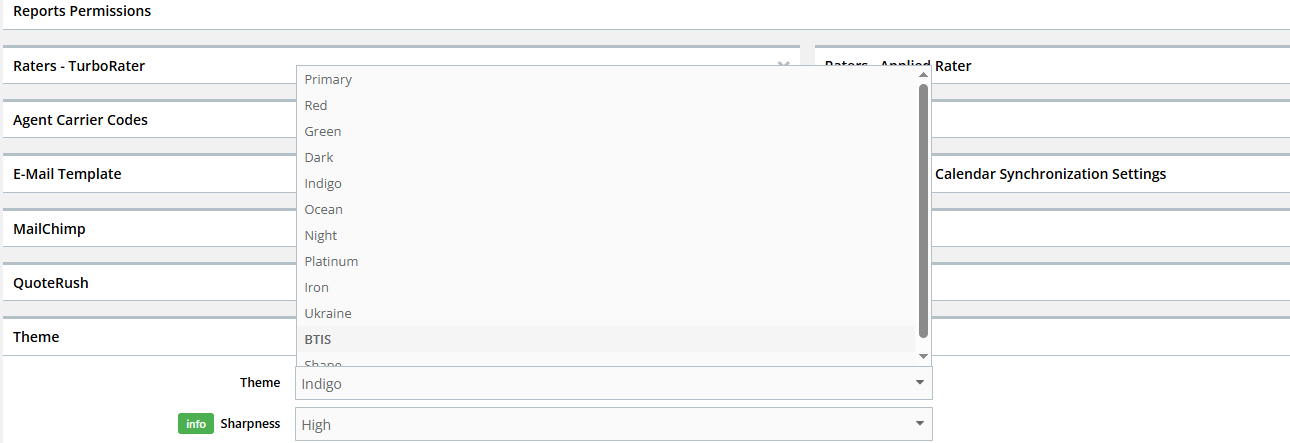
4. Choose Your Theme Color
Click the Theme dropdown and select your preferred visual style.
Available options include (but are not limited to):
Primary
Red
Green
Dark
Indigo
Ocean
Night
Platinum
Iron
Ukraine
BTIS
Shape
5. Adjust Sharpness (Optional)
The Sharpness dropdown includes:
Normal
High
Take from Agency (inherits the agency-level default theme settings)
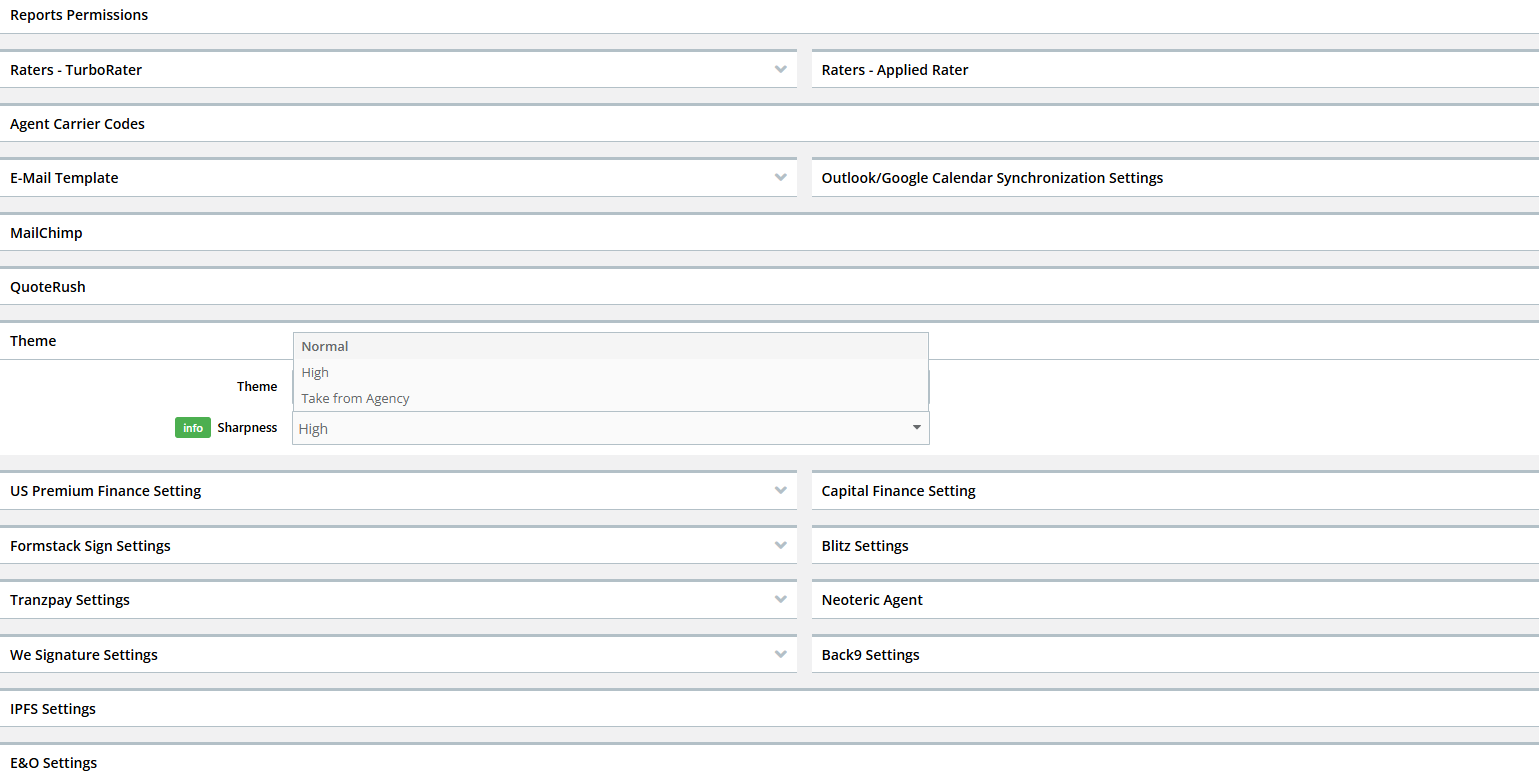
Most users prefer High, which provides sharper UI contrast.
6. Save Your Changes
Scroll to the bottom of the profile and click Save.
Your Momentum AMS interface will update immediately with the new theme.
Notes & Best Practices
Theme changes affect only your user, not the entire agency.
You may switch themes at any time—there is no impact on data or system functionality.
If you choose Take from Agency, your UI colors will match the agency’s configured default theme.
If you do not see the Theme section, contact your agency admin to verify your permissions.
Was this article helpful?
That’s Great!
Thank you for your feedback
Sorry! We couldn't be helpful
Thank you for your feedback
Feedback sent
We appreciate your effort and will try to fix the article