Momentum allows you to view your subscription details and payment history directly from your account. This includes past payments, amounts charged, and access to receipts for your records.
How to View Payment History
1. Open Your Account Menu
In the upper-right corner of Momentum, click on your name.
A dropdown menu will appear.
2. Select “Subscription & Payments”
From the dropdown menu, click Subscription & Payments.
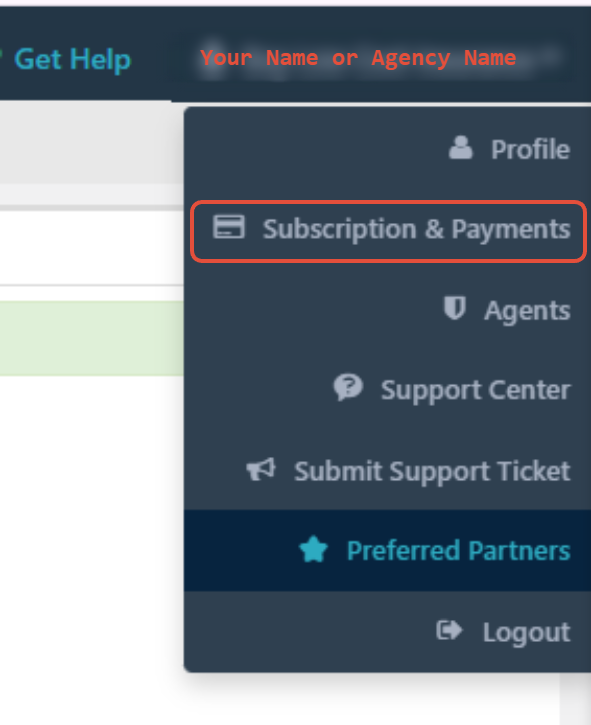
This will open your subscription overview page.
3. Open Payment History
On the Subscription & Payments page, click Payment History.
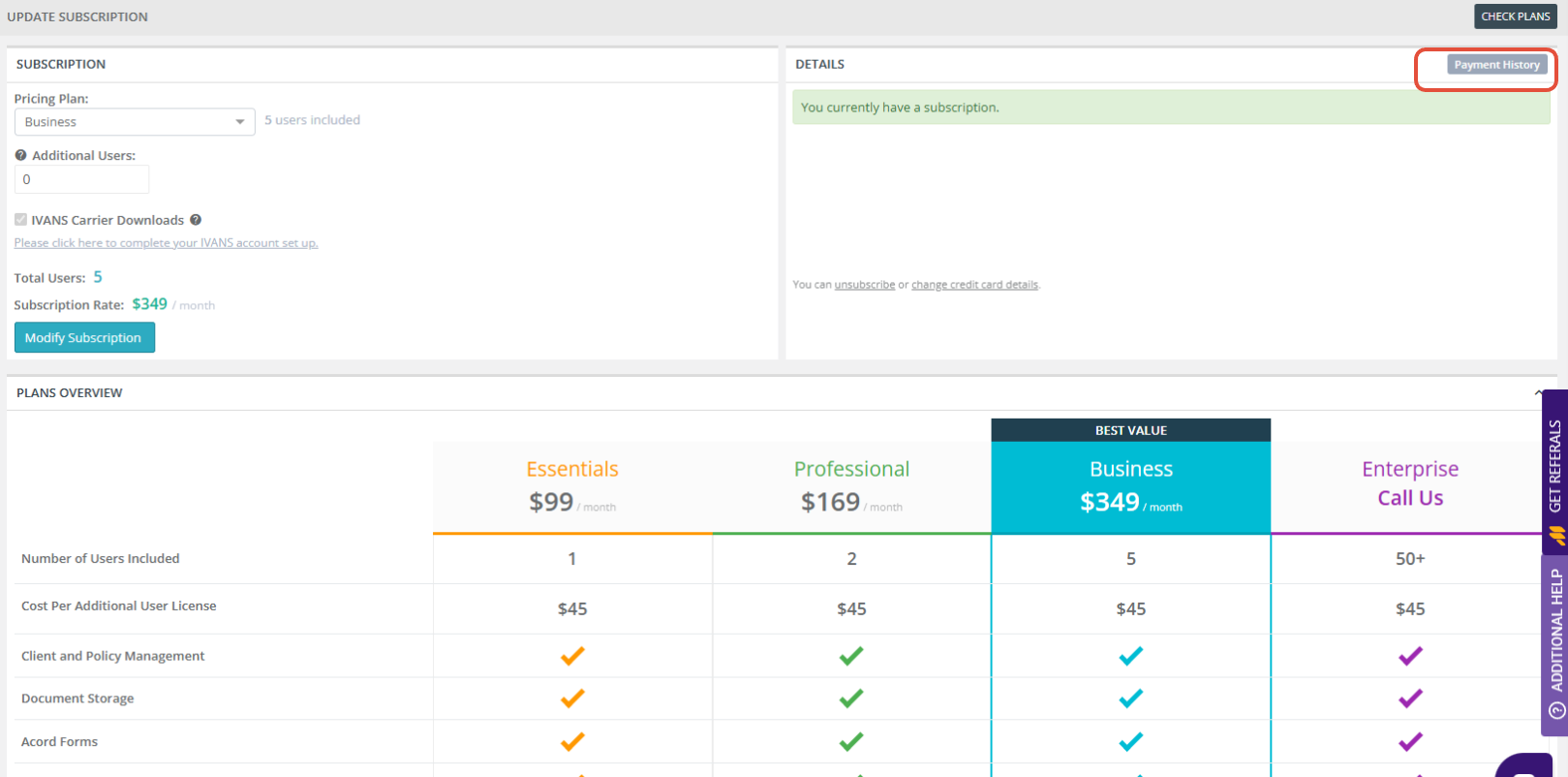
The Payment History list will display all recorded transactions.
What You’ll See in Payment History
Your payment history includes:
Date of the transaction
Amount charged
Receipt link (click to download or view)
Payment status (e.g., Paid)
This information is useful for billing verification, accounting records, and internal reconciliation.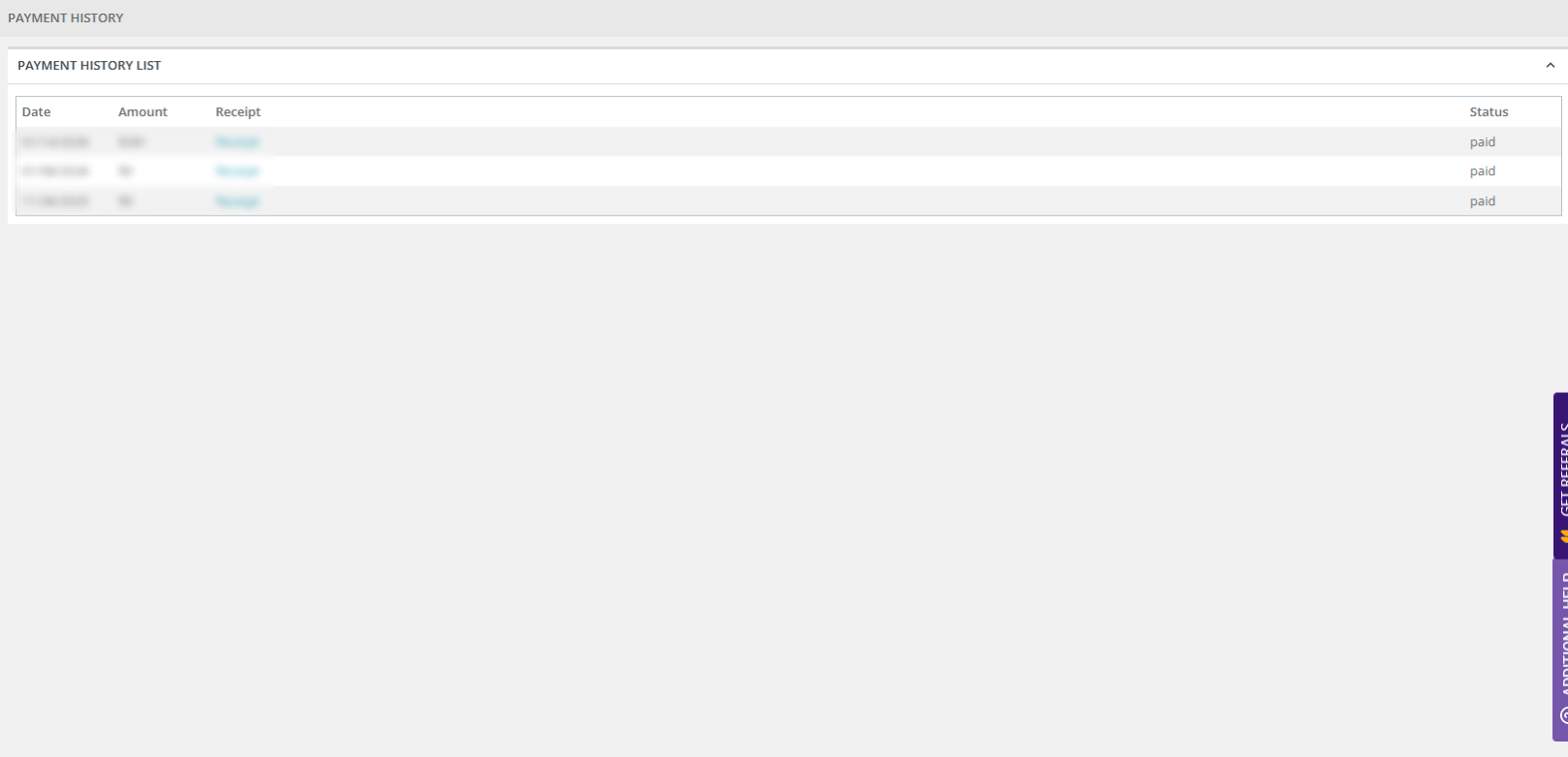
Helpful Notes
Payment history is read-only and cannot be edited.
If you have questions about a specific charge, contact support through the Support Center.
Receipts can be downloaded at any time for your records.
Was this article helpful?
That’s Great!
Thank you for your feedback
Sorry! We couldn't be helpful
Thank you for your feedback
Feedback sent
We appreciate your effort and will try to fix the article